Introduction
SEO in 2026 is no longer just about keywords and backlinks. Google’s AI Overviews, the Helpful Content System, and user experience signals have fundamentally changed what it means to write content that ranks. This guide walks you through every critical step — from keyword research to technical pre-publish checks — so you can produce content that earns visibility, builds trust, and converts.
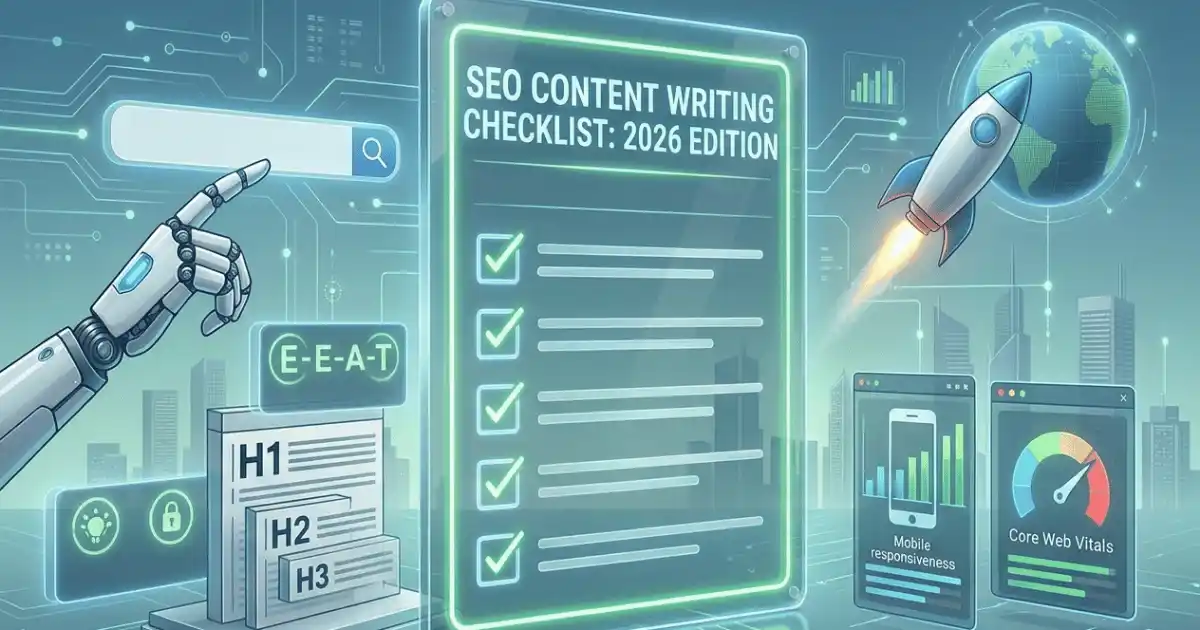
This guide follows the structure of the SEO Content Writing Checklist (2026 Edition) and expands each section into actionable guidance.
1. Keyword & Topic Research
Solid research is the foundation of every piece of content that ranks. Skip this stage, and you risk writing content nobody is searching for, or content that misses what the searcher actually needs.

Identify Primary Keyword with Clear Search Intent
Every piece of content should target one primary keyword, and that keyword should have a clearly identifiable intent: informational (the user wants to learn), navigational (the user wants to find a site), commercial (the user is comparing options), or transactional (the user is ready to act).
Matching intent is non-negotiable in 2026. Google’s algorithm is highly accurate at detecting content that serves the wrong intent — even if it includes all the right keywords.
- Informational: “how to write an SEO article”
- Commercial: “best AI writing tools 2026”
- Transactional: “buy Intelliwriter Pro subscription”
Find 3–5 Semantically Related Secondary Keywords
Secondary keywords expand your content’s relevance without forcing you to repeat your primary keyword unnaturally. These are terms, phrases, and concepts that co-occur with your primary keyword in top-ranking content.
Tool tip: Use Google’s “People Also Ask” and “Related Searches” sections to surface these naturally.
Avoid simple synonyms. Focus on concepts that add depth: supporting subtopics, related processes, and adjacent questions your reader is likely to have.
Analyze SERP Features for Your Target Keyword
Before writing a single word, spend five minutes on the SERP. Identify which features appear: featured snippets, People Also Ask boxes, image packs, video carousels, local packs, or AI Overviews. Each signals what Google believes the best answer format looks like.
- Featured snippet present? Structure your answer as a tight 40–60 word paragraph or a numbered list.
- Video carousel? Consider embedding a supporting video or creating complementary written content.
- AI Overview present? (see Section 6 for dedicated GEO guidance)
Map Content to a Specific Funnel Stage
Every piece of content belongs to a funnel stage: Top of Funnel (awareness), Middle of Funnel (consideration), or Bottom of Funnel (decision). Funnel stage determines tone, depth, CTA type, and even word count. A TOFU blog post explaining “what is SEO” should not read like a BOFU product comparison page.
Check Search Volume Trend
A keyword’s current volume matters less than its trajectory. A topic with 800 monthly searches and a rising trend line is more valuable than one with 3,000 searches that has been declining for two years. Use Google Trends alongside your keyword tool to assess momentum.
Audit Competitor Top-Ranking Articles for Gaps
Open the top three to five results for your target keyword. Read them fully. Ask: what did they not cover? What angle did they miss? What question in the PAA box did they answer poorly? Content gaps are your competitive advantage. Fill them and you earn rankings the existing content cannot defend.
Check AI Overview Presence for This Keyword
2026 Signal — New: Search for your keyword in a fresh browser window and note whether Google generates an AI Overview above organic results. If it does, your content strategy must account for it. See Section 6 for how to optimize for AI Overviews specifically.
2. Content Structure & Outline
Structure is not an afterthought — it is a ranking signal. Well-structured content is easier for Google to parse, easier for readers to scan, and more likely to earn featured snippet placements.
Write a Clear, Keyword-Forward H1 (Under 65 Characters)
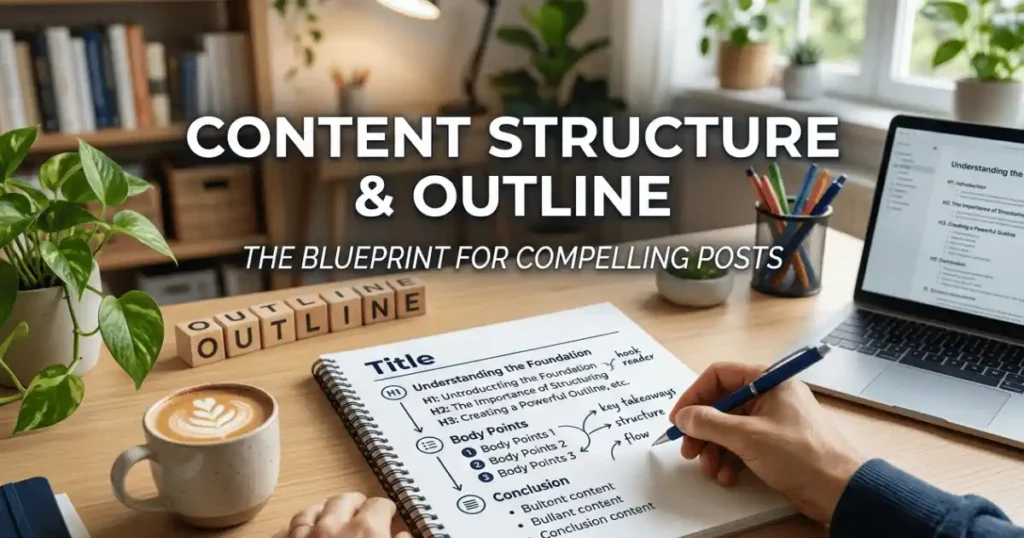
Your H1 is the most important heading on the page. It should include your primary keyword, ideally near the beginning, and stay under 65 characters. Avoid clickbait titles that obscure what the page is actually about. Google rewards clarity.
Example: “SEO Content Writing: The 2026 Step-by-Step Guide” is better than “Everything You Need to Know About Writing for Search Engines This Year.”
Use a Logical H2 → H3 Hierarchy Throughout
Your heading structure should act like a table of contents a reader can skim and immediately understand the scope of your article. Use one H1. Use H2s to divide major topics. Use H3s to break down subtopics within each H2. Never skip levels or use headings purely for visual styling.
Include a Table of Contents for Articles Over 1,500 Words
A linked table of contents improves navigation, reduces bounce rate, and increases the chance Google uses your headings in a featured snippet. Place it immediately after the introduction. Keep it concise — link to H2s only unless H3s are critical to navigation.
Cover All Subtopics the Top 3 SERP Results Address
Topic completeness is a core relevance signal. If all three top-ranking articles cover “keyword research tools,” “on-page optimization,” and “link building,” and your article omits one of those, you have a completeness gap that likely costs you rankings. Use your competitor audit to build a subtopic checklist before writing.
Lead with the Key Takeaway or Answer in the Intro
The inverted pyramid structure — borrowed from journalism — works well for SEO content. State your main answer or the article’s central value proposition in the first 100 words. Readers who find their answer quickly stay longer; readers who are made to hunt for it bounce.
Include a Clear CTA or Next Step at the End
Every article needs a destination for readers who finish it. That could be a related article, a product page, a free trial, a newsletter signup, or a downloadable resource. A vague “let us know in the comments!” is not a CTA. Be specific about what you want the reader to do next.
Intelliwriter’s AI writing assistant can generate structured outlines automatically from a keyword, mapping headings, subtopics, and recommended word counts — saving you 30–45 minutes per article.
3. On-Page SEO Elements
On-page elements tell search engines exactly what your content is about. Getting these right is table stakes — every item in this section should be treated as mandatory, not optional.
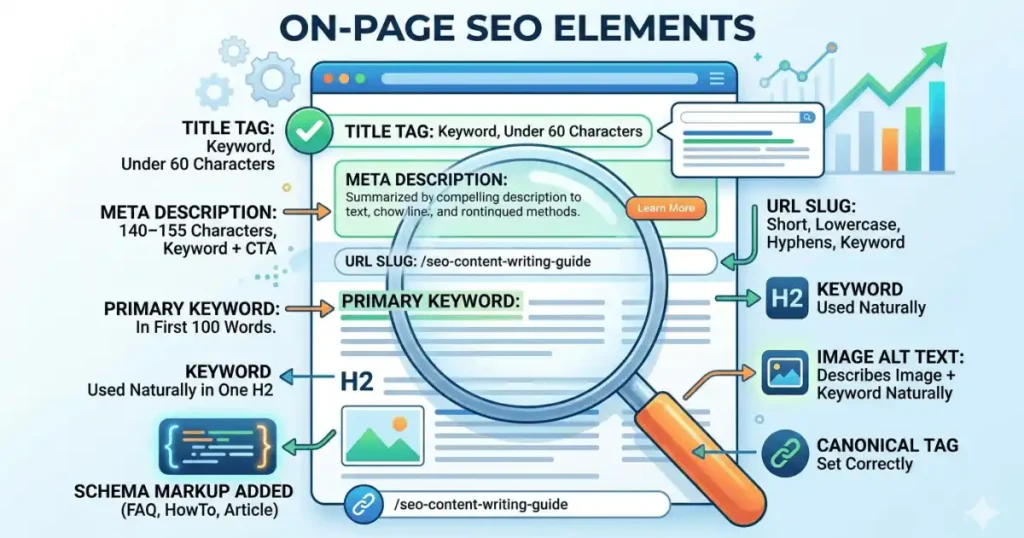
Title Tag: Keyword Near the Front, Under 60 Characters
Your title tag is what appears in the search results as the clickable blue link. Include your primary keyword in the first 40 characters where possible. Keep total length under 60 characters to prevent truncation. Avoid keyword stuffing — one clear, compelling title wins every time.
Meta Description: 140–155 Characters, Keyword + CTA
Meta descriptions do not directly influence rankings, but they heavily influence click-through rate, which does. Write a meta description that summarizes the page’s value, includes the primary keyword naturally, and ends with a soft call to action. Keep it between 140 and 155 characters.
URL Slug: Short, Lowercase, Hyphens Only, Includes Keyword
URL slugs should be short (3–5 words), all lowercase, use hyphens to separate words, and include the primary keyword. Remove stop words (“a,” “the,” “and”). A clean URL is easier to share, easier to remember, and easier for Google to parse.
Good: /seo-content-writing-guide
Bad: /blog/post?id=4872&cat=seo-tips-for-beginners-in-2026
Primary Keyword in First 100 Words of Body
Include your primary keyword naturally within the first 100 words of body content (not counting headings). This confirms to Google what the page is about without delay. Do not force it awkwardly — if the first sentence naturally leads to using the keyword, that is ideal.
Keyword Used Naturally in at Least One H2
Having the keyword appear in a subheading reinforces its relevance throughout the page, not just in the H1. Use it in the H2 that introduces the core topic of the article. Avoid using it in every H2 — that looks manipulative and reads unnaturally.
Image Alt Text Describes the Image and Includes Keyword Where Natural
Alt text serves two purposes: accessibility for screen readers, and a relevance signal for image search. Write alt text that accurately describes the image first. If the keyword fits naturally, include it. Never stuff keywords into alt text for images where it doesn’t make sense.
Schema Markup Added
Structured data (schema markup) helps Google understand your content type and can unlock rich results: star ratings, FAQ accordions, How-To steps, article dates, and more. In 2026, FAQ schema and HowTo schema are especially valuable for capturing space in AI Overviews and People Also Ask results.
- Article schema: for editorial and blog content
- FAQ schema: for Q&A sections
- HowTo schema: for step-by-step guides
- Product schema: for product pages and reviews
Canonical Tag Set Correctly
If your content is syndicated, republished, or has near-duplicate versions (e.g., print-friendly pages or paginated content), set a canonical tag pointing to the preferred URL. Missing or incorrect canonicals can split your ranking signals across multiple URLs and dilute authority.
4. E-E-A-T & Credibility Signals
Google’s Quality Rater Guidelines are built around Experience, Expertise, Authoritativeness, and Trustworthiness (E-E-A-T). Content that cannot demonstrate these signals is at a significant disadvantage, especially in YMYL (Your Money or Your Life) topics.
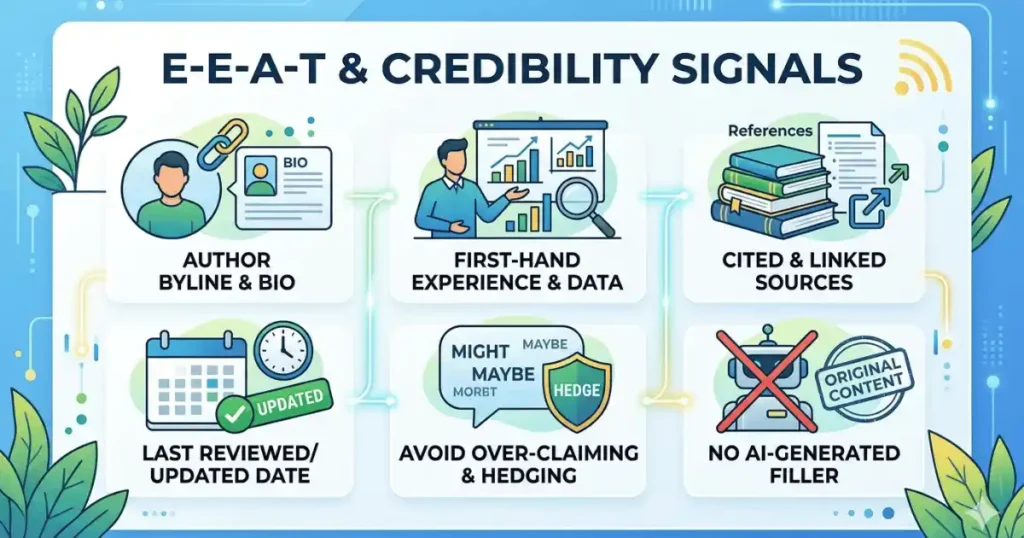
Author Byline Links to an Authoritative Author Bio
Every article should display a clear author byline with the author’s name linked to a bio page. That bio page should demonstrate the author’s credentials, experience, and expertise in the topic area. An anonymous article in 2026 is a liability, not just a missed opportunity.
Content Includes First-Hand Experience, Data, or Case Studies
2026 Signal — New: The first “E” in E-E-A-T stands for Experience, added by Google in 2022 and increasingly weighted in 2026. Content that demonstrates personal experience — through original data, case studies, real examples, or a first-person perspective — outperforms content that merely aggregates information from other sources.
Include at least one of: original research or survey data, a real-world case study or example, a first-person account of the process, or a unique insight drawn from direct experience.
External Sources Cited and Linked
Link to reputable external sources that support your claims: government databases, peer-reviewed studies, authoritative industry publications, or domain experts. Outbound links to high-quality sources are a trust signal. Do not link to competitors, but do link to primary sources.
Last Reviewed / Updated Date is Visible and Accurate
Content freshness matters, especially for topics that evolve quickly. Display a “Last updated” date at the top of the article and keep it accurate. Never update the date without actually reviewing and updating the content — Google is sophisticated enough to detect date manipulation.
Avoid Over-Claiming: Hedge Uncertain Statements
Accuracy and epistemic humility are trust signals. If something is debated, say so. If a statistic has caveats, include them. If a recommendation depends on context, acknowledge that. Overconfident, absolute claims — especially in health, finance, and legal topics — are red flags for Google’s quality reviewers.
No AI-Generated Filler or Padding
2026 Signal — Critical: Google’s Helpful Content System specifically targets content that appears to be produced at scale by AI without meaningful human review or original insight. Every sentence in your article must earn its place. Remove filler, repetitive summaries, obvious padding, and generic statements that add no value to the reader.
Intelliwriter is designed to assist human writers — not replace the editorial judgment, original perspective, and E-E-A-T signals that only a knowledgeable human can provide. Use it to accelerate drafting, not to auto-publish unreviewed content.
5. Readability & UX
Search engines measure engagement signals: time on page, scroll depth, bounce rate, and return visits. All of these are influenced by how readable and navigable your content is. Readability is no longer a soft metric — it directly affects rankings.
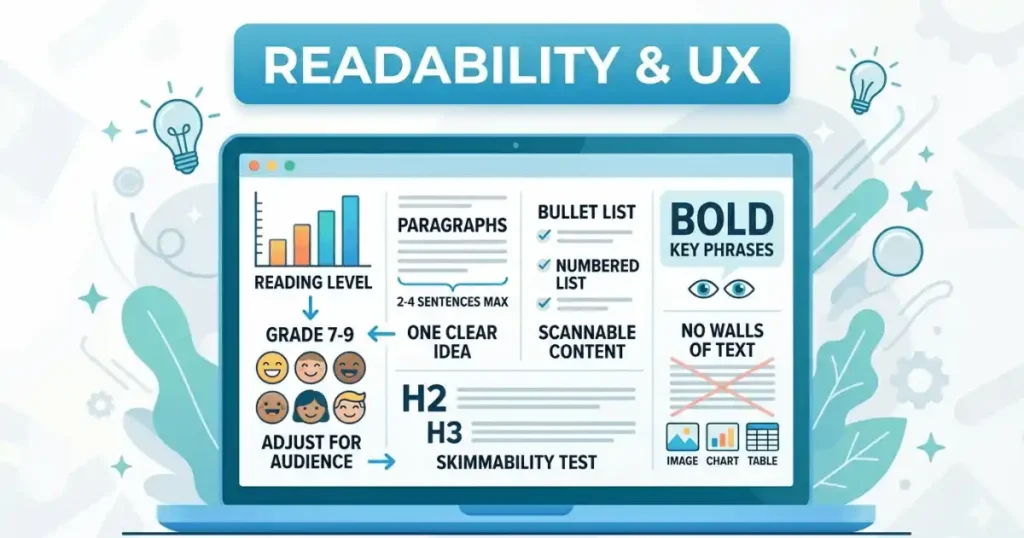
Reading Level Appropriate for the Target Audience
General audience content should target approximately a Grade 7–9 reading level (Flesch-Kincaid scale). Technical content for specialists can go higher. Consumer-facing content should go lower. Avoid jargon that your reader won’t know, and define any technical terms you must use.
Paragraphs are 2–4 Sentences Max
Long, unbroken paragraphs are one of the fastest ways to increase bounce rate on mobile devices, which now account for the majority of search traffic. Keep paragraphs to two to four sentences. Each paragraph should have one clear idea. If you are making a second point, start a new paragraph.
Use Bullet Lists and Numbered Lists for Scannable Content
Lists work well for: step-by-step instructions, feature comparisons, tip collections, and any content where items are discrete and parallel. They increase scannability and are more likely to be pulled into featured snippets and AI Overviews. Use numbered lists when order matters; bullet lists when it doesn’t.
Bold Key Phrases, Not Random Words
Bold text draws the reader’s eye and is a mild on-page relevance signal. Bold the key takeaway of a paragraph, a critical term, or a statistic that anchors a point. Do not bold randomly or excessively — when everything is bold, nothing is.
No Walls of Text — Break Up with Visuals, Callouts, or Tables
For articles over 1,000 words, include at least one visual element every 300–500 words: a relevant image, a data table, a callout box, a comparison chart, or an embedded video. Visual breaks improve dwell time, increase shareability, and provide additional indexable content.
Article Passes a Skimmability Test
Before publishing, test your article’s skimmability: collapse all the body paragraphs mentally and read only the H2 and H3 headings. Do they tell a coherent story? Does the reader understand the article’s full scope from headings alone? If not, revise the headings until they do. This is exactly how many readers — and Google’s crawlers — will first encounter your content.
6. AI Overviews & GEO Optimization
Generative Engine Optimization (GEO) is the 2026 term for optimizing content to appear in AI-generated answers: Google’s AI Overviews, Perplexity, Bing Copilot, and similar surfaces. This is no longer a niche consideration — AI Overviews now appear for a significant share of informational queries.
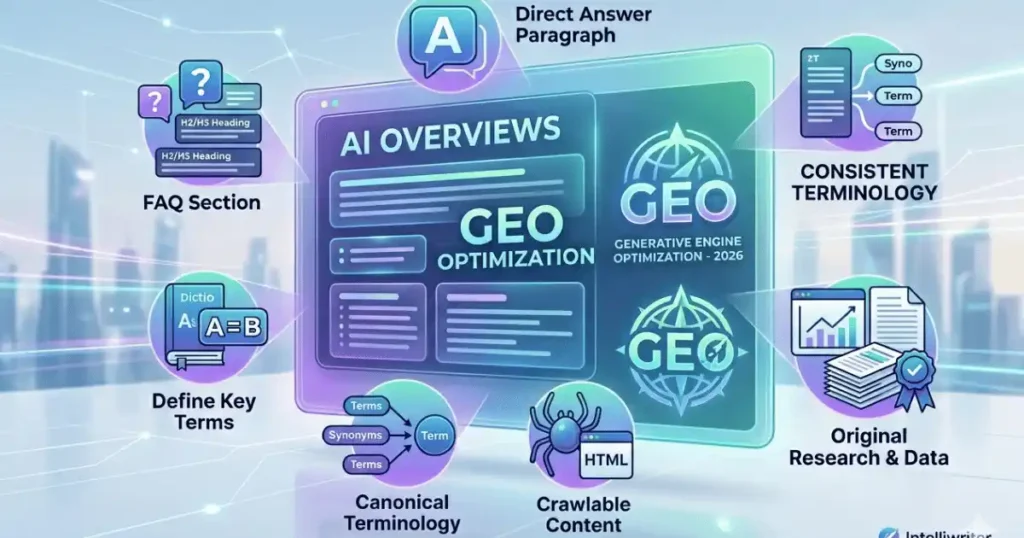
Answer the Query Directly in One Concise Paragraph Near the Top
2026 Signal — New: AI Overviews extract content from well-structured, direct passages. Place a concise, self-contained answer to the primary query within the first 200 words of your article. This passage should make sense in isolation — as if it could be read without the surrounding context and still answer the question completely.
Use Structured FAQ Sections with Question-as-Heading Format
2026 Signal — New: FAQ sections where each question is an H2 or H3 heading, followed by a concise answer paragraph, are the most reliably extracted format for AI Overviews. Structure your FAQ so each Q&A pair is self-contained. Pair this with FAQ schema markup for maximum eligibility.
Define Key Terms Explicitly In-Article
Large language models and Google’s AI systems favor content that is definitionally precise. When you use a term that is central to your topic, define it explicitly — even if it seems obvious. A clear in-text definition increases the likelihood your content is cited as a source in AI-generated answers.
Use Consistent, Canonical Terminology Throughout
2026 Signal — New: AI systems rely on entity disambiguation. Using multiple synonyms for the same concept (e.g., “AI writing tool,” “AI content generator,” and “automated writing software” interchangeably) fragments your entity signals. Pick the canonical term for each concept and use it consistently throughout the article.
Content is Indexable and Crawlable
AI Overviews and Google’s crawlers cannot index content that is rendered by JavaScript client-side and not pre-rendered for the crawler. Ensure all body text is available in the initial HTML response. Avoid placing key content inside lazy-loaded components, modals, or tabs that require JavaScript interaction to reveal.
Cite Original Research or Proprietary Data Where Possible
2026 Signal — New: AI systems and human readers alike prioritize primary sources over secondary aggregators. Original research — even a small survey of your own customers — gives AI citation engines a reason to reference your content specifically. Proprietary data points cannot be replicated by competitors and serve as a durable competitive moat.
Intelliwriter’s research assistant can help you identify data gaps in your draft, suggest statistics to source, and flag claims that would benefit from original data — reducing the time spent on research by up to 50%.
7. Technical Pre-Publish Checks
Technical SEO issues that prevent indexing, slow load times, or break mobile rendering can negate all the content work above. These checks take less than 15 minutes and should be completed before every publish.
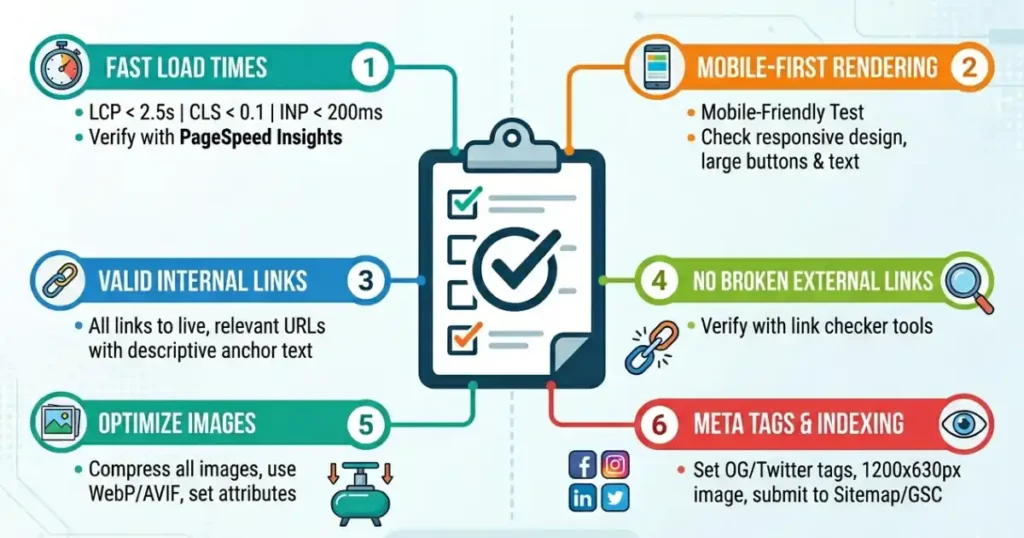
Core Web Vitals Passing: LCP < 2.5s, CLS < 0.1, INP < 200ms
Google’s Core Web Vitals are a confirmed ranking factor. In 2024, Interaction to Next Paint (INP) replaced First Input Delay (FID) as the interactivity metric. Your three targets are:
- LCP (Largest Contentful Paint): under 2.5 seconds — how fast the main content loads
- CLS (Cumulative Layout Shift): under 0.1 — how stable the layout is as it loads
- INP (Interaction to Next Paint): under 200ms — how quickly the page responds to user input
Check with: Google PageSpeed Insights or the Core Web Vitals report in Google Search Console
Mobile Rendering Tested and Correct
Google uses mobile-first indexing for all new content. Test your article on at least two real mobile devices or use Google’s Mobile-Friendly Test. Check for: text that is too small to read without zooming, buttons or links that are too close together to tap accurately, content that overflows the viewport horizontally, and images that do not scale correctly.
All Internal Links are Valid and Add Contextual Value
Internal links distribute PageRank and help Google understand your site’s topical structure. Every internal link in your article should: point to a live, indexed URL; use descriptive anchor text (not “click here”); and link to a page that is contextually relevant to the anchor text. Audit links before publishing and after any site restructures.
No Broken External Links
Outbound links to 404 pages or redirected URLs are a minor negative signal and a poor experience for readers. Before publishing, verify every external link is live. Use a link-checking browser extension or a crawl tool like Screaming Frog on your staging environment.
Image Files Compressed and Served in WebP or AVIF
Unoptimized images are the single most common cause of failing LCP scores. Before publishing, compress all images and serve them in modern formats: WebP (widely supported) or AVIF (best compression, growing browser support). Ensure images have explicit width and height attributes in HTML to prevent layout shift (CLS).
Open Graph and Twitter Card Meta Tags Set
Social sharing previews are generated from Open Graph (og: title, og: description, og: image) and Twitter Card meta tags. Set these explicitly for every article. Use a featured image that is at least 1200 x 630 pixels for OG and 800 x 418 for Twitter Cards. Without these tags, social platforms generate unpredictable previews that reduce click-through from shared links.
Article Submitted to Sitemap / Search Console After Publish
After publishing, submit the URL directly in Google Search Console’s URL Inspection tool using the “Request Indexing” function. Verify your sitemap is up to date and reflects the new URL. For high-priority content, consider pinging your sitemap endpoint directly to accelerate crawl scheduling.
Intelliwriter integrates pre-publish SEO audits directly into its editor — checking on-page elements, readability scores, and Core Web Vitals compatibility before you hit publish, so technical issues are caught before they become ranking problems.
Conclusion
SEO content writing in 2026 demands more than keyword placement and adequate word counts. It requires a systematic approach that covers intent alignment, structural clarity, credibility signals, AI optimization, and technical hygiene — all working together.
This guide has walked through all seven areas of the SEO Content Writing Checklist (2026 Edition). Use it as a repeatable process, not a one-time reference. The writers and brands who will dominate search results in the coming years are those who apply this framework consistently, at scale, and without shortcuts.
Intelliwriter is built for exactly this — helping content teams produce E-E-A-T-compliant, GEO-optimized, technically sound articles faster without sacrificing quality. Start your free trial at intelliwriter.io.
Leave a Reply