AI has changed how businesses research, create, and optimize content. Tools such as ChatGPT, Claude, Gemini, and AI-powered SEO platforms can turn hours of research and drafting into a much faster workflow. But faster content production does not automatically mean better SEO.
In 2026, the real challenge is not whether AI can write an article. It is whether that article gives users something useful, accurate, original, and worth reading. Google’s guidance makes an important distinction: using AI is not automatically against its policies, but generating large amounts of unoriginal content primarily to manipulate search rankings can fall under scaled content abuse.
That makes the best approach simple: use AI to improve your content workflow, not to replace your SEO strategy or human judgment.
Can AI-Generated Content Rank on Google in 2026?
Yes. AI-generated content can appear in Google Search when it meets the same fundamental expectations as other content: it should be useful, relevant, reliable, and created for people rather than primarily for search engines.
Google does not require content to be written entirely by humans. Its guidance focuses on the quality and purpose of the content, regardless of whether automation, AI, or human writing was involved.
The problem starts when AI makes it easy to produce hundreds or thousands of pages with little original value. Google specifically identifies scaled content abuse as a spam practice when many pages are generated primarily to manipulate rankings rather than help users.
So the question should not be, “Was this article written by AI?” A better question is: “Does this article provide enough value for someone to choose it over the alternatives?”
AI-Generated vs. AI-Assisted Content
These terms are often used interchangeably, but they describe different workflows.
AI-generated content is primarily produced by an AI tool from a prompt. For example, a marketer might ask an AI writer to create a complete 2,000-word article.
AI-assisted content uses AI throughout the workflow while humans remain responsible for strategy, accuracy, expertise, and the final result. AI might help with research, outlining, topic expansion, editing, or content optimization.
AI-automated content takes automation further by generating and publishing content with minimal human involvement.
For SEO, the workflow matters more than the label. AI can save significant time, but human input is what turns a generic draft into useful content.
What Makes AI Content SEO-Friendly?
1. Start With Search Intent
Do not begin by asking an AI tool to “write an SEO article.” Start by understanding what searchers actually want. Review the current SERP for your target query. Look at the formats ranking, questions being answered, topics covered, and information that appears to be missing. Then define the article’s purpose.
For example, someone searching “AI-generated content SEO” may want to know whether AI content can rank, whether Google penalizes it, how to use AI safely, and how AI affects modern search. Your content should satisfy that underlying need rather than simply repeating the keyword.
2. Add Original Information and Experience
AI is excellent at organizing existing information. That also creates its biggest weakness: generic content can easily sound like everything else online. Give readers something they cannot get from another generic AI-generated article.
Add:
Original examples
First-hand observations
Screenshots or demonstrations
Expert commentary
Proprietary data
Practical workflows
Specific recommendations
Relevant case studies
This is where information gain becomes useful as a content strategy. Instead of asking, “How can I make this article longer?” ask, “What useful information can I add that competitors have not explained well?”
3. Fact-Check AI Output
AI can produce confident-sounding mistakes, outdated information, incorrect statistics, or unsupported claims.
Before publishing, verify important:
Statistics
Google Search claims
Dates and updates
Product features
Quotes
Research findings
External references
Technical recommendations
This becomes even more important for health, finance, legal, safety, and other topics where inaccurate information can have serious consequences. Treat AI output as draft material, not automatically verified information.
Build a Content Brief Before Generating the Article
A strong AI workflow starts before the first paragraph is written.
This gives the AI enough context to produce a more focused draft. It also prevents a common problem with AI content: starting with a broad prompt and ending up with a predictable article that covers the same surface-level points as every competitor.
Optimize AI Content for Google and AI Search
AI search does not eliminate traditional SEO. Google’s current guidance for generative AI features emphasizes that existing SEO fundamentals remain important, including crawlability, helpful content, clear structure, relevant media, and valuable information.
That means your AI-assisted content should still have:
A descriptive title and H1
Logical H2/H3 headings
Natural keyword usage
Clear answers to important questions
Strong internal linking
Relevant images or other media
Crawlable links
Appropriate structured data where applicable
A good page experience
You don’t need a separate page for every query. Instead, create comprehensive resources that cover related questions and connect them through a strong site structure.
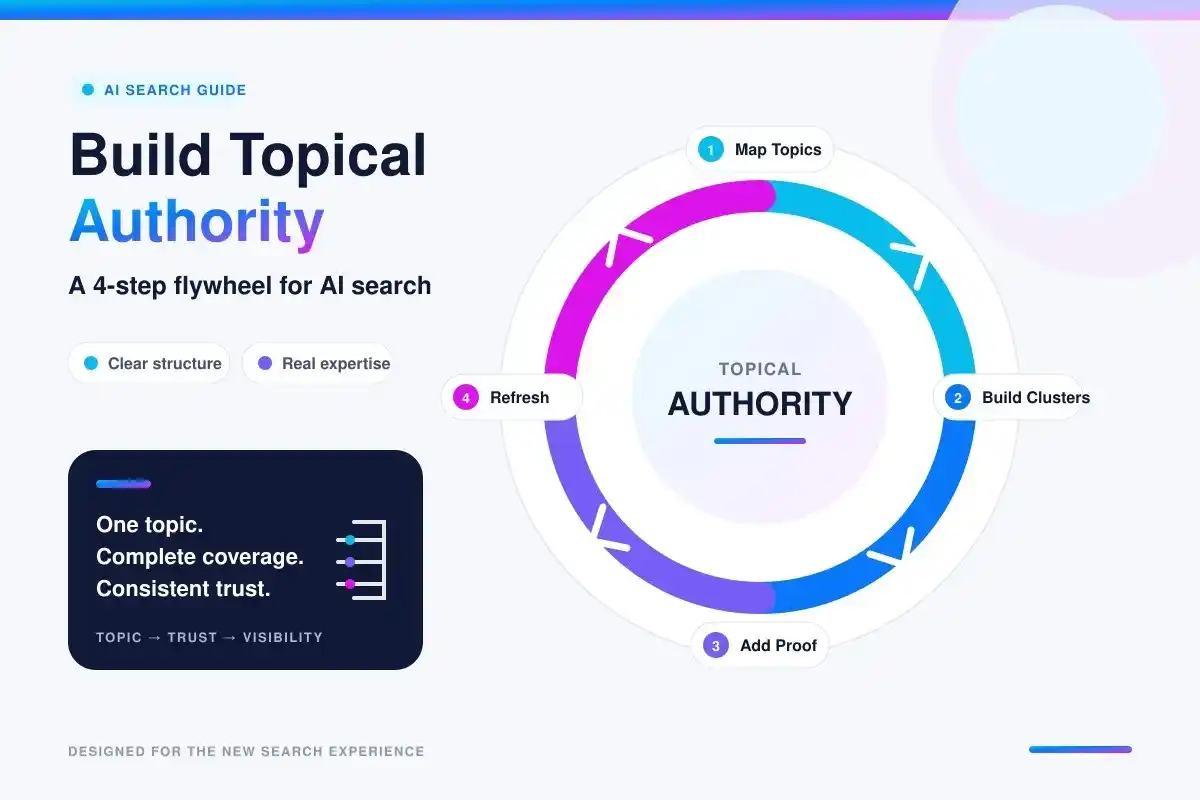
Use Topical Authority Instead of Random AI Articles
Publishing unrelated AI-generated articles can create a large blog without creating a clear content strategy. A stronger approach is to build connected topic clusters.
This helps organize your website around meaningful subject areas instead of isolated keywords. AI can make this process faster by expanding topics, identifying related content opportunities, creating outlines, and helping organize clusters. But the SEO strategy still needs human direction.
Human Review Is the Final SEO Layer
Never treat the first AI draft as the finished article. A proper review should check:
Accuracy: Are the claims correct?
Originality: Does the article add something beyond competitor summaries?
Intent: Does it actually answer what the searcher wants?
Expertise: Are recommendations supported by genuine knowledge or evidence?
Readability: Does it sound natural rather than repetitive or robotic?
SEO: Are internal links, headings, metadata, and important on-page elements properly handled?
The goal is not to make AI content “look human.” The goal is to make the content genuinely useful.
Common AI SEO Mistakes to Avoid
Some of the most common problems include:
Publishing raw AI drafts
Creating content without checking search intent
Rewriting competitor articles without adding value
Using unsupported statistics or sources
Repeating keywords unnaturally
Creating hundreds of similar pages
Inventing first-hand experience or expert opinions
Ignoring internal linking
Creating thin pages for every keyword variation
Measuring success only by rankings
Google’s guidance is especially clear that scale itself does not make a site more valuable. Content created at scale needs to provide genuine value rather than simply increasing the number of indexed pages.
A Practical AI Content SEO Workflow
A reliable workflow can look like this:
Research → Search Intent → Content Brief → AI Draft → Human Expertise → Fact-Check → SEO Optimization → Internal Linking → Publish → Measure → Refresh
AI can support almost every stage, but humans should remain responsible for the important decisions. This is where an integrated platform can simplify the process.
How IntelliWriter Supports an AI SEO Content Workflow?
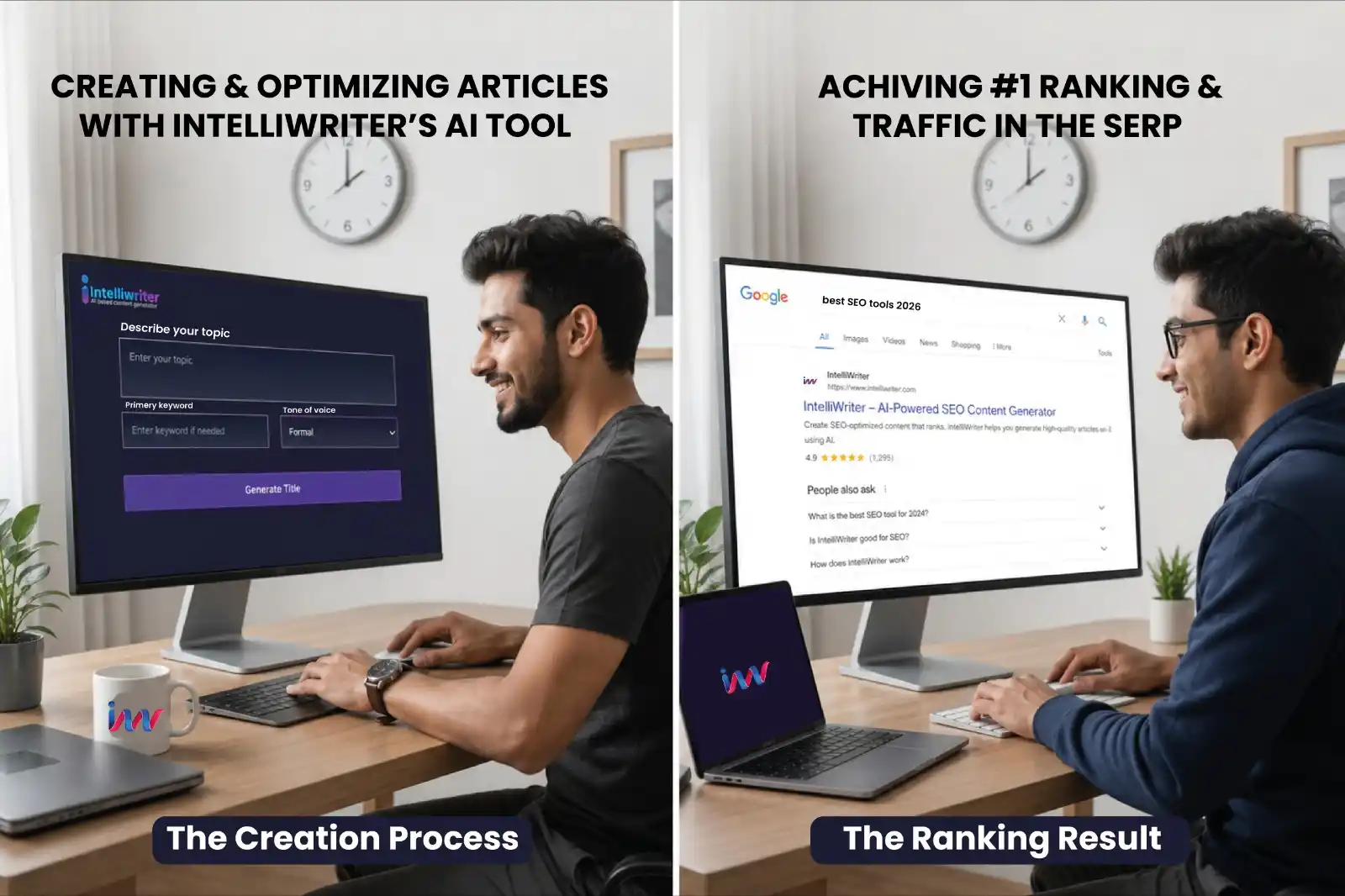
IntelliWriter brings content creation, research, SEO, and publishing tools into one workflow. Its platform includes AI Article Writer, Keyword Research, Article SEO Checker, Blog Automation, Topical Authority, Image Generator, and Scholar Chat.
For example, marketers can use AI Article Writer to develop long-form drafts, Keyword Research to explore content opportunities, and Article SEO Checker to review on-page elements and structure.
The Topical Authority tool can help organize related topics into content clusters, while Blog Automation supports drafting, scheduling, optimization, and publishing workflows. The key is to use these capabilities as part of a human-led SEO workflow rather than treating automation as a substitute for strategy, fact-checking, or editorial review.
FAQs
Can AI-generated content rank on Google in 2026?
Yes. Google does not automatically exclude content because AI was used to create it. Quality, relevance, originality, and usefulness remain important.
Does Google penalize AI-generated content?
AI use itself is not the issue. Content created at scale primarily to manipulate rankings, especially when it provides little original value, can violate Google’s spam policies.
Should every AI-generated article be edited by a human?
For most important SEO content, human review is strongly recommended. Editors can verify facts, add experience, improve originality, correct inaccuracies, and ensure the content genuinely satisfies search intent.
How should AI content be optimized for AI Search?
Focus on the same strong foundations: useful original information, clear structure, accessible pages, relevant supporting media, and content that directly addresses user needs. Google says there is no need for special “AI-only” optimization tricks.
Conclusion
AI has made SEO content production faster, but speed is not the same as quality. The strongest approach for 2026 is human-led, AI-assisted content creation. Start with search intent, build a focused brief, use AI where it adds efficiency, and then add the elements AI cannot reliably provide on its own: experience, original insights, accurate evidence, editorial judgment, and strategic direction.
With the right workflow, AI can help teams research, write, optimize, organize, and publish content more efficiently—without turning the website into a collection of generic pages.
SEO writing has changed significantly in 2026. AI can now help with keyword research, content planning, drafting, optimization, and publishing, allowing SEO teams to handle work that once required hours of manual effort. But AI has not made traditional SEO skills irrelevant.
The biggest change is in how SEO writers work. Instead of spending most of their time on repetitive research and production tasks, modern SEO writers can use AI to speed up analysis and content workflows while focusing more on search intent, originality, accuracy, expertise, and editorial decisions.
So, what is the difference between an AI SEO writer and a traditional SEO writer, and what actually changed in 2026?
What Is a Traditional SEO Writer?
A traditional SEO writer creates search-focused content through manual keyword research, SERP analysis, planning, writing, optimization, editing, and publishing.
A traditional SEO writer may handle tasks such as:
Finding target keywords
Reviewing competing pages
Understanding search intent
Creating content outlines
Writing and editing articles
Optimizing headings and metadata
Adding internal links
This approach can produce strong content, but many parts of the process are time-consuming and repetitive.
What Is an AI SEO Writer?
An AI SEO writer uses artificial intelligence to assist with different parts of the SEO content workflow. Instead of simply generating paragraphs, modern AI SEO tools can support tasks such as keyword research, topic analysis, content briefs, article creation, SEO optimization, and content scaling.
AI SEO writing works best as an assisted workflow: AI handles repetitive tasks while writers remain responsible for strategy, accuracy, originality, expertise, and final quality.
AI SEO Writer vs. Traditional SEO Writer: Key Differences in 2026
SEO Task
Traditional SEO Writer
AI-Assisted SEO Writer
Keyword research
Mostly manual
AI-assisted research
SERP analysis
Manual review
AI-assisted analysis
Topic research
Manual
AI-assisted topic discovery
Content briefs
Created manually
AI-generated and refined
First draft
Written from scratch
AI-assisted drafting
SEO optimization
Manual checks
Automated suggestions
Internal linking
Often manual
AI-assisted opportunities
Content updates
Manual
AI-assisted recommendations
Original insights
Human
Human
Fact-checking
Human
Human-led
Final editing
Human
Human
Content scaling
Limited by time
Easier to scale
What Actually Changed for SEO Writers in 2026?
From Manual Research to AI-Assisted Research
Traditional SEO research involves manually reviewing search results, competitors, keywords, and related topics. AI can speed up this process by organizing keywords, analyzing search intent, finding related topics, and creating content briefs. However, human review is still needed to check accuracy and relevance.
From Single Keywords to Search Intent, Topics, and Entities
SEO writing is no longer about repeating an exact keyword. Writers should consider search intent, related questions, subtopics, entities, context, and the user’s overall need.
From Manual Optimization to AI-Assisted SEO
AI-powered SEO tools can assist with keyword placement, structure, readability, metadata, and other on-page tasks. IntelliWriter helps with SEO and readability checks, reducing repetitive work while keeping human judgment at the center.
From One Article at a Time to Scalable Content Workflows
AI speeds up content creation, scheduling, optimization, and publishing. IntelliWriter’s Blog Automation supports these workflows across WordPress, Shopify, and Wix. However, scaling should not mean publishing low-value content designed to manipulate Search rankings.
AI SEO Writing vs. Traditional SEO Writing: What Has Not Changed?
Despite all these changes, several SEO fundamentals remain important.
Search Intent Still Matters
Whether written by AI or a human, content should match search intent and genuinely answer the user’s query. AI can help analyze intent, but writers must ensure the final content is useful and relevant.
Helpful and Original Content Still Matters
AI does not determine content quality. What matters is whether the content is useful, accurate, original, and created for people rather than rankings.
Technical SEO Still Matters
AI-assisted writing does not replace technical SEO. Crawlability, indexing, site structure, internal linking, page experience, and other technical factors still form part of a broader SEO strategy.
Human Review Still Matters
AI can generate information confidently even when information is incomplete or incorrect. Human review is therefore important for fact-checking, context, brand voice, expertise, and editorial quality.
How AI Search Is Changing What SEO Writers Need to Write
In 2026, SEO writers should consider both traditional search and AI-powered search experiences. Google confirms that SEO fundamentals still matter for AI search features.
Answer Related Questions Clearly: Cover related questions that help users understand the topic.
Build Strong Topic Coverage: Include key concepts needed to fully answer the main question.
Support Important Claims: Verify factual claims and support them with reliable sources when needed.
Write for People First: Avoid keyword stuffing and focus on useful, clear, and trustworthy content.
What Should an AI SEO Writer Do, and What Should Humans Do?
The strongest workflow gives AI and humans different responsibilities.
AI can help with:
Keyword clustering
Topic discovery
Research organization
Content briefs
Draft generation
SEO suggestions
Content optimization
Content refreshes
Repetitive publishing tasks
Humans should own:
SEO strategy
Search-intent decisions
Original insights
Fact-checking
Expert input
Brand voice
Editorial judgment
Final quality control
Can AI-Generated SEO Content Rank on Google in 2026?
AI-assisted content can appear in Google Search. The key factors are its quality and purpose. Google targets scaled content abuse when large amounts of low-value content are created mainly to manipulate rankings, regardless of how it is produced.
For SEO writers, that means the goal should not be:
“How much AI content can we publish?”
A better question is:
“How can AI help us create better content more efficiently?”
That difference is central to responsible AI-assisted SEO.
AI SEO Writer vs. Traditional SEO Writer: Pros and Cons
Advantages of AI-Assisted SEO Writing
Faster research and content planning
Easier content scaling
Assistance with repetitive SEO tasks
Faster first drafts
Automated or assisted optimization
Easier content updates
Limitations of AI-Assisted SEO Writing
It can produce generic content
It can make factual mistakes
It may repeat common information
It does not automatically provide first-hand experience
It can miss important context
Poor prompts can produce weak content
Advantages of Traditional SEO Writers
Original thinking
Subject-matter expertise
First-hand experience
Brand voice
Nuanced judgment
Editorial quality
Limitations of Fully Manual SEO Writing
A completely manual workflow can also be inefficient. Research, keyword organization, content briefs, optimization checks, and publishing can consume significant amounts of time, especially for teams managing large content libraries.
The Best SEO Writing Model for 2026: AI + Human Expertise
The most practical model is to combine AI with human expertise. A modern SEO writing workflow can look like this:
Define the search intent: Understand what the audience actually wants.
Research the topic: Analyze keywords, competitors, related questions, and important concepts.
Build the content brief: Organize the research into a logical structure.
Use AI for assistance: Generate or refine drafts, ideas, outlines, and optimization suggestions.
Add human expertise: Include original insights, examples, experience, and brand perspective.
Fact-check the content: Verify important claims and remove unsupported information.
Optimize the article: Review structure, headings, keywords, metadata, links, readability, and other relevant SEO elements.
Publish and measure: Track performance and improve the content based on actual results.
This workflow combines the efficiency of AI with the judgment of an experienced SEO writer.
How IntelliWriter Supports the Modern SEO Writer
IntelliWriter is designed around this type of workflow. It brings writing, research, SEO, and publishing tools into one platform rather than treating AI writing as a standalone text generator.
AI Article Writer
The AI Article Writer can help create long-form SEO content while giving writers a starting point they can review and refine.
Keyword Research
IntelliWriter’s keyword research tool can assist with keyword discovery, search-volume analysis, competition analysis, long-tail ideas, and related terms.
Article SEO Checker
SEO and readability feedback can help writers identify areas that may need improvement before publishing.
Topical Authority
The Topical Authority Builder helps organize related topics into content clusters, giving teams a structured approach to broader topic coverage.
Blog Automation
IntelliWriter automates blog creation, scheduling, optimization, and publishing, reducing repetitive work so writers can focus on strategy, expertise, originality, and quality.
AI SEO Writer vs. Traditional SEO Writer: Which Approach Should You Use?
There is no single workflow for every project. Human-led writing can be valuable for specialized expertise, first-hand experience, interviews, detailed research, or a distinctive brand voice.
AI-assisted writing helps with research, briefs, optimization, updates, and larger-scale production. A hybrid workflow lets AI handle repetitive tasks while writers control strategy and quality.
Frequently Asked Questions
What is an AI SEO writer?
An AI SEO writer uses artificial intelligence to assist with SEO research, content creation, optimization, planning, and related writing tasks.
Is AI SEO writing better than traditional SEO writing?
AI improves speed and scale, while human writers provide expertise, originality, judgment, accuracy, and editorial control throughout content creation processes.
Can AI-generated content rank on Google in 2026?
AI-assisted content can rank when it meets Google’s quality requirements. AI use alone does not make content ineligible for Search.
Will AI replace SEO writers?
AI is changing SEO writing tasks, but human expertise remains essential for strategy, accuracy, originality, judgment, and final editorial decisions.
How can SEO writers use AI without losing content quality?
Use AI for research, planning, drafting, and repetitive tasks, then add expertise, verify facts, improve originality, and review thoroughly.
Conclusion:
The biggest change in 2026 is that AI can now assist with repetitive SEO tasks like research, drafting, optimization, updates, and publishing. However, strong SEO content still requires search intent, accuracy, originality, and human judgment. The strongest approach combines both: AI for efficiency and human expertise for quality.The best approach combines AI for efficiency with human expertise for quality, supported by platforms like IntelliWriter for a connected SEO workflow.
Search is changing. People are no longer using Google alone to find answers. They are also asking ChatGPT, Google AI Overviews, Perplexity, Gemini, and other AI search systems for direct answers.
This shift has made topical authority in LLMs an important part of modern SEO. Ranking one article for one keyword is no longer enough. Your website needs to show consistent expertise across a complete topic so search engines and AI systems can understand what your brand knows best.
But topical authority is not about publishing hundreds of articles. It is about building a connected content system that covers important entities, questions, subtopics, search intents, and relationships. This guide explains a practical step-by-step system for building topical authority in LLMs and improving your visibility across Google and AI search.
What Is Topical Authority in LLMs?
Topical authority in LLMs refers to building relevant, connected, and useful coverage around a subject that can help search engines and AI systems understand your website’s expertise and relevance to that topic.
For example, if a website wants to become an authority in AI SEO, one article about AI SEO is not enough. It could cover related subjects such as:
AI search optimization
Generative Engine Optimization (GEO)
LLM optimization
AI citations
semantic SEO
entity SEO
topical maps
content clusters
search intent
AI visibility
The goal is to create a connected body of knowledge instead of isolated blog posts. There is no public universal “topical authority score” from OpenAI, Google, or other LLM providers. Instead, topical authority is better understood as the strength and coherence of your coverage, relationships, expertise, and signals around a subject.
Why Topical Authority Matters for LLMs and AI Search
Traditional search may rank a page for one query, while AI search draws from related questions. Broad, connected topic coverage can help search engines and AI systems better understand the depth and relevance of your website’s content.
Topical authority can help you:
Improve visibility for related searches
Build stronger semantic relationships
Help search engines understand your website
Increase opportunities to appear in AI-generated answers
Create stronger internal linking structures
Cover more search intents
Build trust around a specific subject
Recent SEO research also emphasizes that topical authority should not be treated as a simple page-count or keyword-count exercise. Structure, coverage, entities, and relationships matter.
How to Build Topical Authority in LLMs: 8 Steps
1. Choose Your Core Topic
Start with one clear subject that is closely connected to your business. Your core topic should match what you want your brand to be known for. Avoid selecting a broad subject only because it has high search volume.
For example, a content platform could choose:
Core topic: AI content and SEO
From there, you can identify related areas such as:
AI article writing
SEO content optimization
keyword research
topical authority
AI search
content planning
content automation
SEO analysis
A focused topical direction makes it easier to build meaningful coverage over time.
2. Build a Topical Map
Before creating content, map the complete topic. A topical map organizes your main topic into related entities, subtopics, questions, and content opportunities. Instead of starting with a list of keywords, think about the subject as a connected network.
For example:
AI SEO → AI search → LLM optimization → AI citations → entities → semantic SEO → topical authority
Then break each area into more specific questions.
Your map should identify:
Core topics
Subtopics
Related entities
Questions
Search intents
Supporting topics
Content gaps
Connections between pages
This approach helps prevent random content production and gives every article a clear role in your topical structure. Knowledge-graph-based SEO approaches similarly treat the map as the foundation for deciding what content is missing and how topics connect.
3. Cover Search Intent and Query Variations
A topic can have different search intents. One user may want a definition, another may want to know how to build it, while others may search for tools or topical map examples. That means you should not target only one keyword. Build content around different query patterns, including:
What is topical authority?
Why is topical authority important?
How to build topical authority
Topical authority vs domain authority
How topical authority works for AI search
How to create a topical map
How to build topic clusters
How to improve LLM visibility
Query-template coverage can expand topical authority beyond individual keywords by addressing different ways users search for the same subject.
4. Create Pillar Pages and Supporting Content
Now turn your topical map into a content structure. Create a pillar page for the broad subject and supporting articles for specific subtopics. This can all be done by Intelliwriter AI Aritcle writer and Blog Automation tool
For example:
Pillar: Topical Authority
Supporting content:
What Is Topical Authority?
Topical Authority vs Domain Authority
How to Build a Topical Map
Topic Clusters Explained
Internal Linking for Topical Authority
Topical Authority for AI Search
Entity SEO and Topical Authority
Each supporting article should answer a specific question and link to related pages. This creates a connected content cluster instead of unrelated posts, with pillar content, internal links, and consistent topical focus.
5. Build Strong Semantic and Entity Connections
Keywords alone do not explain a topic completely. Entities and relationships help create a clearer picture of what your content is about. For example, an article about LLM optimization may naturally connect:
Use consistent terms, define related entities clearly, and show how concepts connect. Semantic SEO helps search engines and AI systems understand these relationships instead of just seeing repeated keywords.
6. Strengthen Internal Linking
Internal links turn separate articles into a connected knowledge system. Link your pillar page to important supporting pages. Then link supporting pages back to the relevant pillar and to other closely related content. Use descriptive anchor text rather than generic phrases such as “click here.”
For example, instead of:
Click here to learn more
use:
how to build a topical map
The link should help both users and search systems understand the relationship between the pages.
7. Add Original Expertise and External Validation
Topical authority is not created by rewriting everything that already exists. Your content should add something useful.
That could include:
First-hand experience
Original examples
Unique frameworks
Expert opinions
Original research
Data
Case studies
Practical processes
Relevant external mentions and links from credible sources can contribute to a website’s overall credibility and visibility. However, they do not guarantee that an AI system will cite or select a particular website as a source.
8. Optimize, Measure, and Fill Content Gaps
Topical authority is an ongoing process. After publishing your content, review what is working and where coverage is still weak.
Track:
Google rankings
Organic traffic
Search impressions
AI search visibility
Brand mentions
AI citations
Internal-link coverage
Missing subtopics
Competitor content gaps
Test your brand across AI platforms for relevant prompts. If competitors appear and you don’t, identify their missing signals or content gaps, then update your topical map and create the needed content.
How IntelliWriter Can Help Build Topical Authority?
Building topical authority manually can involve topic research, keyword discovery, content planning, writing, SEO analysis, and publishing. IntelliWriter brings these activities together in one AI-powered content platform.
Its capabilities can support the workflow from topic research and planning to content creation, SEO optimization, and publishing. The Topical Authority Builder can help identify core and supporting topics so you can create a more organized content strategy instead of choosing article ideas randomly.
You can then use AI article writing to produce content, keyword research to expand topic coverage, and SEO checking to identify optimization opportunities.
Together, these features can support a more systematic workflow:
This workflow provides a structured approach to building and managing topical content rather than relying on random article ideas.
The important point is that the tool should support a strategy—not replace it. Publishing more AI-generated articles without a clear topical structure will not automatically create authority.
Common Topical Authority Mistakes
Publishing Too Much Unrelated Content: More pages do not automatically mean more authority. Stay focused on topics that support your main subject.
Targeting Only Keywords: Keywords are useful, but they do not represent the entire topic. Include entities, questions, relationships, and search intent.
Creating Similar Articles: Publishing multiple pages that answer nearly the same question can create unnecessary overlap. Give each page a clear purpose.
Ignoring Internal Links: Even strong articles can remain disconnected if related pages are not linked together.
Writing Only for AI: Do not sacrifice human readability to make content “AI-friendly.” Clear structure, direct answers, useful information, and good writing benefit both readers and machines.
Frequently Asked Questions
What is topical authority in LLMs?
Topical authority in LLMs is the strength of a website’s connected coverage around a subject, helping AI systems associate its content, entities, expertise, and information with that topic.
How do you build topical authority?
Build topical authority by mapping a topic, covering related entities and search intents, creating pillar and cluster content, connecting pages with internal links, adding expertise, and filling content gaps.
Does topical authority help with AI search?
Topical authority can support AI search visibility by giving search and AI systems broader, connected evidence about a website’s expertise, although it does not guarantee citations or rankings.
How long does it take to build topical authority?
There is no fixed timeline. Results depend on topic competition, existing content, expertise, site quality, external signals, and how completely and consistently the website builds its topical coverage.
Conclusion:
Building topical authority in LLMs requires more than publishing content. It means creating connected, useful, and trustworthy coverage around a topic. By using topical maps, search intent, semantic connections, internal links, and continuous optimization, IntelliWriter can help turn scattered content into a strong system for SEO and AI search visibility.
Search is changing. People now use Google, ChatGPT, Perplexity, Gemini, and other AI search tools to find answers, compare products, and choose brands. This makes topical authority important for businesses that want long-term search visibility.
Topical authority means showing strong and consistent knowledge about a specific subject. Your website should cover important parts of a topic, answer related questions, connect relevant pages, and provide useful information backed by experience and trusted sources.
Publishing many articles is not enough. You need a system that connects your content, builds your brand’s reputation, and makes your expertise easier for search engines and AI systems to understand.
What Is Topical Authority for AI Search?
Topical authority is the level of expertise and relevance a website shows around a specific topic. A site with strong topical authority covers the main subject and important subtopics in a useful, connected way.
For example, a website about SEO can cover:
Search intent
Technical SEO
Internal linking
Topic clusters
Content optimization
Link building
AI search
SEO tools
These related pages create a broader picture of the site’s knowledge. For AI search, topical authority goes beyond keyword coverage. Consistent, relevant content gives AI systems more context about the topics your website covers and your brand’s expertise.
How Topical Authority Helps Your Brand Appear in AI Search
AI search systems can draw information from many sources when generating answers. A website that consistently covers one subject gives them more relevant information about its focus.
A strong topical authority strategy can help you:
Connect your brand with a specific topic
Cover common user questions
Provide supporting information instead of isolated articles
Show relationships between related subjects
Demonstrate first-hand knowledge
Support claims with reliable evidence
Build relevant recognition outside your website
For example, a website consistently covering GPUs, GPU temperatures, graphics card compatibility, and GPU performance creates a clearer topical focus than one with only a single GPU article among unrelated content. The goal is not to increase page count but to build a useful resource around a clearly defined subject.
Step 1: Choose a Topic You Can Actually Own
Start with a focused topic that matches your expertise, audience, and business goals. It should have enough depth to support related subjects while remaining focused enough to build a clear brand identity.
Ask:
Does my website have real knowledge about this subject?
Does my audience need this information?
Can I provide useful information beyond basic definitions?
Are there unanswered questions or content gaps?
Does this topic support my business goals?
Study current search results to identify what established competitors cover and where their content leaves gaps.
Step 2: Build a Complete Topical Map
After choosing your main topic, map everything users may want to know about it. Start with the core topic and divide it into major subtopics. Under each one, list questions, problems, comparisons, use cases, and related entities.
For example:
Core topic: AI SEO
Subtopics:
AI search optimization
AI content
AI citations
Entity SEO
Topical authority
Search visibility
Content strategy
Then expand each subtopic into specific questions. Do not focus only on keyword volume. A useful topical map should cover related concepts and entities from different angles. Group keywords with the same search intent instead of creating separate pages for every small variation. This can reduce keyword cannibalization and create a cleaner website structure.
Step 3: Create a Topic Cluster With a Strong Hub
Turn your topical map into a topic cluster. A topic cluster usually contains one main pillar or hub page supported by detailed pages covering specific subtopics.
For example:
Hub: AI SEO Guide
Supporting pages:
What Is AI Search?
How to Optimize Content for AI Search
How AI Citations Work
How to Build Topical Authority
What Is Entity SEO?
How to Track AI Search Visibility
The hub provides a broad overview, while supporting pages answer specific questions.
Each page should have a clear purpose. Avoid creating several pages that target the same search intent simply because their keywords are slightly different.
Step 4: Show Real Expertise and a Clear Point of View
Content volume does not automatically create authority. Your content should provide information that is useful and difficult for competitors to copy.
Add:
First-hand experience
Original examples
Case studies
Expert opinions
Original research
Data and analysis
Screenshots or demonstrations
Practical processes
Clear recommendations
A clear point of view can make your content more distinctive. Explain why you recommend an approach, when it works, and where it may not be suitable.
Step 5: Connect Your Content With Internal Links
Internal linking helps users and search systems move between related pages. Link supporting pages to your main hub and connect them to other relevant pages when useful. For example, an article about AI search optimization can link to pages about AI citations, entity SEO, and topical authority.
Use descriptive anchor text so readers know what they will find. Each link should help users discover related information. A well-connected website creates a clearer topical structure and makes your content easier to navigate.
Step 6: Build Your Brand’s Entity and External Proof
Your website should clearly communicate who you are and what your brand is known for. Keep your brand information consistent across your website and relevant external platforms. Make your authors, expertise, company information, and areas of focus clear.
Build genuine recognition through:
Relevant industry mentions
Expert contributions
Reputable publications
Reviews
Partnerships
Original research
Relevant backlinks
Professional profiles
The goal is to create a consistent connection between your brand, expertise, and topic. Do not manufacture mentions or links. Relevant, genuine recognition is more valuable than unrelated links.
Step 7: Make Content Easy for AI Systems to Understand and Cite
AI-friendly content should be easy to read, understand, retrieve, and verify.
Use:
Short paragraphs
Clear H2 and H3 headings
Direct answers
Lists and tables where useful
Specific facts
Examples
Definitions
Supporting evidence
Relevant internal links
Trusted external sources
Answer important questions directly instead of hiding the answer under a long introduction. Keep important content updated, especially when information changes frequently. Avoid keyword stuffing and unnatural writing. Your priority should be creating genuinely useful content.
How IntelliWriter Can Support Your Topical Authority Workflow
Building topical authority involves topic research, topical mapping, content creation, SEO optimization, and publishing. IntelliWriter offers tools that can support different parts of this workflow, including AI article writing, keyword research, SEO checking, blog automation, and topical authority.
Its Topical Authority Builder can expand a core topic into content pillars and related ideas, helping you create a structured topical map and content cluster. IntelliWriter can then support content creation and SEO optimization, while you maintain the expertise, quality, and strategy behind your content.
An SEO and content tool should support your topical authority strategy, not replace it. You still need to choose the right topics, provide real expertise, create useful content, and build genuine authority.
How to Measure Topical Authority and AI Search Visibility
Topical authority does not have one simple score. Track several signals over time:
Google rankings for your main topic
Rankings across related subtopics
Organic impressions and clicks
Relevant indexed pages
Internal linking coverage
Referring domains and relevant mentions
AI search citations
Brand mentions in AI answers
Competitor visibility
Content gaps
Test relevant AI search prompts regularly and record whether your brand, pages, or original information appear. If competitors consistently appear across a topic while your website appears for only a few narrow searches, your topical coverage may have gaps. Use these findings to improve, combine, expand, or create content.
Common Topical Authority Mistakes to Avoid
Avoid these common mistakes:
Publishing unrelated content just for traffic
Creating pages with the same search intent
Focusing only on keyword volume
Writing generic content with no original value
Ignoring internal links
Covering topics without showing expertise
Making unsupported claims
Building irrelevant backlinks
Forgetting to update important pages
Treating AI search as completely separate from useful SEO
More content does not always mean more authority. Relevant, connected, useful, and trustworthy content is the foundation of a strong topical authority strategy.
FAQs
What is topical authority and why does it matter for AI search?
Topical authority means consistently covering a subject with useful, accurate, connected content. It gives search systems more context about your expertise and can strengthen your brand’s relevance for related queries.
What solutions help build topical authority for AI search?
Topic mapping, content clusters, internal linking, first-hand expertise, original research, entity optimization, relevant backlinks, content updates, and SEO tools can support a stronger topical authority strategy.
How does topical authority influence AI citations and brand visibility?
Consistent topical coverage gives AI systems more relevant information about your expertise. This can create more opportunities for your content or brand to appear in relevant AI-generated answers.
How do you build a topical authority plan for AI?
Choose a focused topic, map related subtopics, create connected content clusters, demonstrate expertise, strengthen internal links, build external proof, optimize content, and monitor search and AI visibility.
Conclusion
Building topical authority for AI search takes time. Focus on one topic, cover its key subtopics, create connected content, and show real expertise. Use internal links, entity signals, and external proof to strengthen your brand. Tools like IntelliWriter can help with SEO tasks, while useful and trustworthy content remains the foundation. Track Google and AI search performance, find gaps, and keep improving.
AI writing tools can create blog posts in minutes, but they are not all designed for the same purpose. A blog writer mainly helps you create readable content, while an SEO article writer combines writing with research and optimization for search.
The difference matters when your goal is to attract organic traffic. An SEO-focused tool can help with keyword research, search intent, competitor analysis, content structure, and on-page SEO. Still, no AI writing tool can guarantee a #1 Google ranking. Search performance depends on content quality, relevance, originality, accuracy, and how well a page satisfies the user’s needs.
In 2026, a blog writer is useful for quick drafts, while an SEO article writer offers a more complete approach to search-focused content.
What Is an SEO Article Writer?
An SEO article writer is an AI tool designed to create content for both readers and search engines. It can use SEO data to shape an article around a target keyword, search intent, and the wider topic.
Depending on the tool, it may help with:
Keyword research
Search intent analysis
Competitor and SERP research
Content outlines
Topic and content gap analysis
On-page SEO
Content optimization
Research and citations
The main difference is the workflow. Instead of simply generating text from a prompt, an SEO article writer considers what people are searching for and what information a page needs to cover. For website owners and content teams, this can reduce the need to use separate tools for research, writing, and optimization.
What Is a Blog Writer?
A blog writer is an AI tool that helps create blog posts from a topic or prompt. It can generate ideas, outlines, introductions, paragraphs, and complete drafts. Blog writers are useful when you need readable content quickly or already have the research and structure prepared.
However, a basic blog writer may not research the current SERP, analyze competitors, identify search intent, or find content gaps. You may need separate tools for these tasks. This makes a blog writer a good choice for general content, while an SEO article writer is more suitable when search visibility is the main goal.
SEO Article Writer vs. Blog Writer: Key Differences
The biggest difference is what happens around the writing process.
Feature
SEO Article Writer
Blog Writer
Content creation
Yes
Yes
Keyword research
Built in
Usually separate
Search intent
Analyzed
Often manual
SERP research
Available
Usually limited
Competitor analysis
Available
Limited
Content gaps
Supported
Usually manual
SEO optimization
Built in
Often separate
Research & citations
Some tools
Depends on tool
A blog writer focuses mainly on creating the draft. An SEO article writer adds the research and optimization needed to build search-focused content.
What Actually Helps an Article Rank in 2026?
Using AI or adding more keywords does not automatically make an article rank. What matters is whether the page provides useful information that matches the searcher’s needs.
Several factors are especially important:
Match Search Intent
Understand what the user expects from the query. Someone searching for “best AI writing tools” is likely comparing options, while someone searching for “what is an AI writing tool” needs an explanation. Your content should match that intent.
Provide Original Value
Simply rewriting information found on other websites gives readers little reason to choose your page. Add useful examples, comparisons, practical advice, original insights, or updated information that improves the topic.
Cover the Topic Clearly
A strong article should answer the main question and important related questions without adding unnecessary filler. Research can help identify topics that competitors cover and areas where your content can be more useful.
Keep Information Accurate
Check statistics, product details, technical information, and other claims before publishing. This is especially important for topics that change frequently.
Make the Page Easy to Read
Use clear headings, short paragraphs, useful lists, and tables when they genuinely improve the reader experience. Good structure helps users find the information they need quickly. Google’s guidance continues to emphasize helpful, reliable, people-first content rather than content created simply to manipulate search rankings.
Why a Well-Written Blog Post May Still Not Rank
Good writing alone does not guarantee search visibility. An article can be clear and well-written but still struggle if it does not match search intent or provide enough value.
Common problems include:
Missing important topics or questions
Weak competitor research
Little original information
Outdated facts
Poor internal linking
Unclear page titles
Unnecessary content
Technical or indexing problems
This is why SEO content requires more than writing. Research, optimization, internal linking, and regular updates can all be part of a stronger content strategy.
Can AI-Generated Content Actually Rank?
Yes. AI-generated content can rank in Google, but AI itself does not provide a ranking advantage. Google focuses on the quality and value of the final content rather than simply whether AI was used. AI can help with research, planning, drafting, and optimization, but the finished article should still be accurate, useful, original, and relevant.
Publishing large amounts of generic AI content without adding value is unlikely to create a strong long-term SEO strategy. The better approach is to use AI to speed up the work while adding human review, original information, and useful expertise.
What to Look for in an AI SEO Article Writer
When choosing an AI SEO article writer, look beyond how many words it can generate. The most useful features are those that support the complete content process.
Look for:
Keyword and search intent research
SERP and competitor analysis
Content gap identification
SEO-focused content planning
Real-time research and reliable citations
Built-in content optimization
Internal linking and publishing support
Human editing and customization
A good tool should help you create better content, not simply create more content.
How IntelliWriter Helps Create SEO-Focused Content
IntelliWriter combines AI writing with SEO research and content optimization to help simplify the content creation process. Its SEO-focused features include competitor semantic analysis, real-time research, fact-checked and cited content, keyword research, content analysis, and built-in SEO optimization.
Instead of creating a draft in one tool and then moving to several other platforms for research and optimization, IntelliWriter brings important parts of the process together. This makes it useful for website owners, content marketers, SEO teams, bloggers, and agencies that regularly publish search-focused content.
What Makes an AI SEO Article Writer Different?
An AI SEO article writer goes beyond basic text generation by connecting writing with SEO research. Key differences include:
Search intent: Helps align content with what users actually want.
SEO research: Identifies relevant keywords, topics, and related search terms.
Competitor analysis: Reviews competing content to find useful opportunities.
Content gaps: Helps identify important information missing from existing pages.
SEO optimization: Supports headings, keywords, structure, links, and other on-page elements.
Efficient workflow: Brings research, writing, and optimization into one process.
This makes an AI SEO article writer more suitable for websites that want to create content with organic search visibility in mind.
How to Turn an AI Draft Into Rank-Ready Content
An AI draft should be treated as a starting point. Before publishing, review it with the same care you would give any other article.
Check the search intent, compare the content with competing pages, remove generic or repeated information, and add original examples or insights.
Next, verify important facts and review the title, headings, internal links, keywords, and overall structure. Make sure the article is easy to read and provides a clear answer to the user’s query.
Finally, monitor the page after publishing and update it when the information or search intent changes.
The goal is simple: use AI to make content creation faster, while making the final content more useful for people and easier for search engines to understand.
FAQs:
What is the difference between a blog and an article in terms of SEO?
A blog is usually more casual and regularly updated, while an article often provides more detailed information about a specific topic. From an SEO perspective, both can rank if they match search intent and provide useful, relevant content.
What is SEO in article writing?
SEO in article writing means creating content that is easy for search engines to understand and useful for readers. It includes matching search intent, using relevant keywords naturally, covering the topic clearly, optimizing headings, and maintaining strong content quality.
What type of writing is most in demand?
SEO content writing, blog writing, technical writing, copywriting, and content marketing are widely used by businesses. Demand varies by industry, but writers who can create useful, search-focused content are especially valuable to websites that depend on organic traffic.
Does writing blogs help with SEO?
Yes, blogging can support SEO by helping websites publish useful content around relevant topics and keywords. Well-written blog posts can attract organic traffic, answer user questions, support internal linking, and build topical coverage when they provide genuine value.
Conclusion:
An SEO article writer does more than generate words. It combines writing with keyword research, search intent, competitor analysis, and optimization to create stronger search-focused content. A blog writer is still useful for simple drafts and general content. For websites focused on organic traffic, tools like IntelliWriter can make the SEO content process faster, more organized, and easier to manage.
5 agents execute tasks; AIOSEO requires manual action per page
Best redirect management
AIOSEO
19 redirect types — most comprehensive in the category
Best schema breadth
AIOSEO
19+ preset types with visual builder, no coding required
Best Author SEO / E-E-A-T
AIOSEO
Dedicated module with awards, credentials, full schema
Auto URL submission (Google + Bing)
Intelliwriter
Indexation Agent submits on publish; AIOSEO uses sitemap sync
Best Local SEO
AIOSEO
Multi-location, Google Maps, review management included
AI features without extra accounts
Intelliwriter
All 5 agents included; AIOSEO AI requires separate SEOBoost account
Best entry price
AIOSEO
$49.60/year vs $179.88/year for comparable Intelliwriter tier
Intelliwriter Super SEO Agents vs All in One SEO: Introduction
All in One SEO is one of the most feature-complete WordPress SEO plugins available. Its Redirection Manager covers 19 redirect types — the most comprehensive independent reviewers have found across any plugin. Its next-gen Schema Generator supports 19 or more preset schema types. Its Author SEO module adds awards, credentials, and expertise fields to author schema automatically. Reviewers consistently rate it as the plugin with the deepest manual SEO toolkit.
Intelliwriter Super SEO Agents starts from a different premise: rather than giving you more tools to use manually, it assigns five dedicated AI agents to handle those jobs for you — generating metadata, submitting pages for indexing, managing crawler directives, optimizing content, and tracking rankings across your site simultaneously.
If you need a comprehensive feature set for manual SEO execution, All in One SEO is one of the strongest options available. If you want AI agents to handle that execution for you, Intelliwriter is in a different category. This guide covers both honestly.
Intelliwriter Super SEO Agents vs All in One SEO: Introducing the Two Plugins
What Is All in One SEO (AIOSEO)?
All in One SEO is a full-featured WordPress SEO plugin offering TruSEO On-Page Analysis, a next-gen Schema Generator with 19-plus preset schema types, a Redirection Manager covering 19 redirect types, an Author SEO module with credentials and schema, an AI Writing Assistant (requires a separate SEOBoost account), a Search Statistics dashboard with Google algorithm update markers, a Link Assistant for internal linking, Local SEO with multi-location support, WooCommerce SEO with Google Merchant Center Listing schema, and a Sitemap Generator that auto-syncs to Google Search Console. Pricing: Basic $49.60/year, Plus $99.60/year, Pro $199.60/year, Elite $299.60/year.
What Is Intelliwriter Super SEO Agents?
Intelliwriter is built around five dedicated AI agents. The Metadata Agent generates titles, meta descriptions, social preview tags, and schema suggestions, refining output over time using performance data. The Indexation Agent monitors indexation in real time, fixes crawl errors, identifies blocked pages, and auto-submits new URLs to Google and Bing on publication. The Robots.txt Agent creates optimized directives, controls bot access, adds crawl delay, and auto-references your sitemap. The Content Optimization Agent inserts semantically relevant keywords, improves heading structure, recommends internal links, expands thin content, and enhances image attributes. The Performance Tracking Agent tracks keyword rankings, monitors query visibility, and alerts you when rankings drop. Plans: Basic $14.99/month, Standard $28.99/month (three sites), Premium $199.99/month (eight sites), with a 7-day free trial on every tier.
Getting Started: Intelliwriter Super SEO Agents vs All in One SEO
Setting Up All in One SEO
AIOSEO’s setup wizard configures site type, content settings, social profiles, and Search Console connection. The plugin follows a people-first design philosophy — reviewers consistently find the interface accessible. However, AIOSEO’s breadth means its full feature set spans multiple settings areas: the Redirection Manager, Schema Generator, Author SEO module, Local SEO settings, and WooCommerce module each require individual configuration. The AI Writing Assistant adds another step — connecting a separate SEOBoost account before it becomes usable.
Setting Up Intelliwriter Super SEO Agents
Intelliwriter’s setup runs four steps: single-click installation, automatic site connection with page and post discovery and content mapping, agent activation, and live dashboard tracking. There are no feature libraries to configure before you start seeing results. The agents determine what your site needs, execute the relevant optimizations, and surface those actions for your review. For site owners who want SEO progress without a configuration learning curve, Intelliwriter’s setup compresses the gap between installation and impact.
On-Page SEO and Content Optimization: Intelliwriter vs All in One SEO
AIOSEO’s TruSEO On-Page Analysis
AIOSEO’s TruSEO module covers Basic SEO, Title, and Readability per page. It checks whether your focus keyword appears in your SEO title, meta description, and first paragraph. It supports secondary keyword targeting with analysis covering transition words and keyword density. Smart tags allow dynamic content insertion in titles and descriptions, and all analysis runs in real time as you edit.
Intelliwriter’s Metadata Agent and Content Optimization Agent
Intelliwriter’s Metadata Agent generates titles and meta descriptions without requiring you to open each page. It sets social preview tags, suggests FAQ and product schema based on content type, and refines metadata using ranking data over time. The Content Optimization Agent inserts semantically relevant keywords from top-ranking content for your topic, improves heading structure, recommends internal links, flags thin sections for expansion, and enhances image attributes. AIOSEO’s TruSEO tells you what each page needs. Intelliwriter’s agents prepare those improvements for your approval.
Social Media Integration
AIOSEO handles Open Graph and Twitter Card configuration, social profile management, and sharing preview customization. Intelliwriter’s Metadata Agent sets social preview tags for Facebook and Twitter automatically as part of its metadata pass — no separate social section required. Both plugins cover core social SEO signals; AIOSEO offers more manual control while Intelliwriter handles it automatically.
Technical SEO: Intelliwriter Super SEO Agents vs All in One SEO
Indexation and Sitemap Management
AIOSEO’s Sitemap Generator produces XML, RSS, News, Video, and HTML sitemaps and auto-syncs to Google Search Console, eliminating manual sitemap submission. Intelliwriter’s Indexation Agent takes a different approach: it submits each newly published URL directly to Google and Bing indexing APIs the moment it goes live. Sitemap-based discovery depends on Google’s crawl schedule after the sync. Direct per-URL submission gets new content indexed faster — a practical advantage for time-sensitive content like news articles, trend coverage, or product launches.
Robots.txt Management
AIOSEO’s robots.txt editor lets you add directives without technical knowledge, block crawlers with a few clicks, and import configurations across sites. Intelliwriter’s Robots.txt Agent automates this entirely: it creates optimized directives based on your site structure, blocks or allows specific bots, adds crawl delay to protect server performance, and auto-references your sitemap — without manual editing required. AIOSEO gives you a better manual editor. Intelliwriter removes the need for one.
Schema Markup: AIOSEO’s Next-gen Generator vs Intelliwriter’s Metadata Agent
AIOSEO’s next-gen Schema Generator is described by independent reviewers as “a revolutionary tool” — covering 19-plus preset schema types including Recipe, Event, Course, Review, FAQ, and HowTo, all through a visual interface requiring no coding. Intelliwriter’s Metadata Agent auto-suggests and applies FAQ and product schema based on content type. For sites needing diverse schema types, AIOSEO’s preset library is more comprehensive. For sites wanting schema applied automatically without manual steps, Intelliwriter’s agent is simpler.
Redirects and 404 Management
AIOSEO’s Redirection Manager covers 19 redirect types — including uncommon ones like 303, 418, and 505 — making it “one of the most comprehensive I’ve seen in a WordPress SEO plugin” per independent reviewers. It handles 404 errors and supports replicating configurations across sites. Intelliwriter’s Indexation Agent proactively monitors crawl health and catches URL-level issues before they cause 404 errors, but for managing redirect workflows, AIOSEO wins outright.
Unique Advanced Features: What Each Plugin Does That the Other Can’t
AIOSEO’s Unique Features
Author SEO Module
AIOSEO’s Author SEO module captures awards, spoken languages, areas of expertise, and credentials and adds all of them to author schema markup automatically. Reviewers found it “flows better and has more features” than any competing plugin, and it strengthens Google’s E-E-A-T signals by building a complete author entity for search engines. Intelliwriter has no equivalent for this depth of author entity management.
Search Statistics Dashboard
AIOSEO’s Search Statistics dashboard includes markers showing when major Google algorithm updates occurred — a feature no other plugin offers natively. This lets you correlate ranking changes with specific algorithm events to diagnose what impacted your site. The dashboard also includes competitor site analysis and an SEO audit tool. Reviewers praised its “UI, flow, and attention to detail.”
AI Writing Assistant (via SEOBoost)
AIOSEO’s AI Writing Assistant provides competitor research, keyword suggestions, and insights showing how top-ranking publishers use your target keywords. It is powerful for content strategy. However, it requires a separate SEOBoost account — an additional subscription on top of your AIOSEO plan — before it is available.
Intelliwriter’s Unique Features: The Agent Architecture
Automated SEO Execution Across Your Entire Site
Every AIOSEO feature requires you to open a post and interact with the tool. TruSEO analysis runs per page. The Link Assistant makes recommendations per page. The AI Writing Assistant works per post in the editor. Intelliwriter’s agents work across your entire site simultaneously without you opening anything. For a site with hundreds of pages needing metadata improvements, this is not a feature comparison — it is a workflow comparison.
Proactive Performance Alerts
AIOSEO’s Search Statistics shows when algorithm updates happened — useful for diagnosing past ranking changes. Intelliwriter’s Performance Tracking Agent alerts you when rankings are dropping now and connects that detection to recommended fixes. AIOSEO shows you what happened; Intelliwriter tells you something is happening and suggests the next step.
AI Features Included Without Extra Accounts
AIOSEO’s AI Writing Assistant requires a separate SEOBoost account subscription. Intelliwriter’s five agents — including the Content Optimization Agent — are all included in one Intelliwriter subscription. No additional accounts, no additional billing.
Local SEO and WooCommerce: Intelliwriter vs All in One SEO
Local SEO Features
AIOSEO’s Local SEO module supports multi-location businesses with individual location schema, review management integration, and Google Maps embedding. It captures business information — opening hours, address, industry — and outputs the metadata Google needs to identify your site as a local business. For brick-and-mortar businesses, service providers, and multi-location companies, AIOSEO’s Local SEO module is a genuine strength. Intelliwriter does not include a dedicated Local SEO module — an honest limitation for businesses that depend primarily on local search traffic.
WooCommerce SEO
AIOSEO’s WooCommerce SEO module includes global product attribute settings, product attribute data export, sitemap support for product attributes, and Google Merchant Center Listing schema. Intelliwriter’s agents work on WooCommerce product pages as they handle any WordPress content: the Metadata Agent generates optimized product titles and descriptions, and the Indexation Agent submits new products to Google and Bing automatically on publication. For stores needing Google Shopping integration and advanced product attribute management, AIOSEO’s dedicated WooCommerce module is more complete.
Intelliwriter vs All in One SEO: Pricing and Value
All in One SEO Pricing
AIOSEO plans run from Basic at $49.60 per year through Plus at $99.60, Pro at $199.60, and Elite at $299.60 per year. Independent reviewers described this as “the most flexible pricing I’ve ever seen on any SEO plugin.” The AI Writing Assistant requires a separate SEOBoost subscription on top of any AIOSEO plan.
Intelliwriter Pricing
Intelliwriter offers a free version and three paid plans with a 7-day free trial on every tier. Basic at $14.99 per month covers limited agent access for one site. Standard at $28.99 per month unlocks full Pro agent access, WordPress blog automation, unlimited keyword research, and three websites. Premium at $199.99 per month provides the full agent suite across eight websites. All five AI agents are included — no separate accounts required.
Which Offers Better Value?
AIOSEO Basic at $49.60 per year is the more affordable entry point for a single site. For multi-site users wanting AI features in one subscription, Intelliwriter’s Standard at $347.88 per year covers three sites with all agents included, while AIOSEO’s Elite plan at $299.60 per year still requires a separate SEOBoost subscription for AI capabilities. Value depends on whether you need AIOSEO’s specialized modules or Intelliwriter’s automated agent execution.
Intelliwriter vs AIOSEO: Strengths and Weaknesses
All in One SEO: Strengths and Weaknesses
Strengths: 19-type Redirection Manager (most comprehensive reviewed), next-gen Schema Generator with 19-plus preset types, most advanced Author SEO module for E-E-A-T entity management, Search Statistics with algorithm update markers and competitor analysis, best Local SEO module (multi-location, Google Maps, review management), WooCommerce SEO with Google Merchant Center Listing schema, four breadcrumb implementation methods, and flexible annual pricing from $49.60 per year. Weaknesses: AI Writing Assistant requires a separate SEOBoost subscription, all features require manual per-page action, no automated site-wide SEO execution, and no direct per-URL submission to Google or Bing on publish.
Intelliwriter Super SEO Agents: Strengths and Weaknesses
Strengths: AI agents execute SEO tasks autonomously across the entire site simultaneously, automatic URL submission to Google and Bing on publish, all AI features included in one subscription without additional accounts, proactive ranking drop alerts connected to agent-recommended fixes, agent-managed crawl budget and robots.txt without manual editing, and a 7-day free trial on all paid plans with human approval before any change applies. Weaknesses: no dedicated Local SEO module, no 19-type redirect manager, no Author SEO entity module, schema limited to FAQ and product types compared to AIOSEO’s 19-plus preset library, and no Google Merchant Center integration.
Intelliwriter vs All in One SEO: Which Plugin Is Right for You?
Choose Intelliwriter Super SEO Agents If…
You want SEO tasks executed across your site without manual intervention per page. You publish frequently and need new URLs indexed in Google and Bing as fast as possible. You manage multiple client sites and need agent-driven SEO working across all properties from one dashboard. You want all AI features in one subscription without managing separate platform accounts. You are a beginner or agency owner who wants a plugin that does the work rather than presenting a library of tools to configure and use.
Choose All in One SEO If…
You need the most comprehensive redirect management available — 19 types. You run a local business or multi-location company and need AIOSEO’s Local SEO module with Google Maps and review management. You manage a WooCommerce store needing Google Merchant Center Listing schema and advanced product attribute SEO. You need deep Author SEO entity management for E-E-A-T signals. You need 19-plus schema types for specialized content including recipes, events, or courses. You want a proven manual SEO toolkit with flexible annual pricing starting at $49.60 per year.
Full Feature Comparison: Intelliwriter Super SEO Agents vs All in One SEO
Feature
Intelliwriter
AIOSEO Basic
AIOSEO Pro/Elite
AI SEO Agents
✓
✗
✗
Automated SEO task execution
✓
✗
✗
Auto URL submission (Google + Bing)
✓
✗
✗
Sitemap auto-sync to Search Console
Partial
✓
✓
Metadata generation (agent)
✓
✗
Via SEOBoost (+cost)
Auto content optimization
✓
✗
Via SEOBoost (+cost)
On-page SEO analysis (TruSEO)
Partial
✓
✓
Schema types
FAQ + Product (auto)
19+ preset
19+ preset
Redirect manager
—
✓ 19 types
✓ 19 types
Author SEO module
✗
Basic
✓ Full module
Robots.txt management
✓ Agent-driven
✓ Click-based
✓ Click-based
Local SEO module
✗
Basic
✓ Multi-location
WooCommerce SEO
Partial (agents)
Basic
✓ Google Merchant Center
Keyword rank tracking
✓ Agent
✗
✓
Algorithm update markers
✗
✗
✓
Proactive ranking drop alerts
✓ Agent
✗
✗
AI features included (no extra cost)
✓
✗ SEOBoost needed
✗ SEOBoost needed
Multi-site support
✓ 3 or 8 sites
1 site
✓ varies by plan
Free trial
✓ 7-day all plans
✗
✗
Intelliwriter vs All in One SEO: Your Questions Answered
Is Intelliwriter better than All in One SEO? They serve different users. AIOSEO is one of the most complete manual SEO toolkits available — 19 redirect types, 19-plus schema types, dedicated Local SEO, and the most advanced Author SEO module in the category. Intelliwriter is stronger when you want AI agents to execute those tasks automatically without manual intervention per page.
Can I switch from AIOSEO to Intelliwriter without losing my rankings? Yes, with preparation. Export your AIOSEO settings and document existing meta titles, descriptions, schema configurations, and redirect rules. Install Intelliwriter and verify metadata is in place before removing AIOSEO. Rankings depend on content quality and backlinks, not which plugin manages your metadata.
Does AIOSEO have AI features? Yes. AIOSEO’s AI Writing Assistant provides competitor research, keyword suggestions, and content optimization insights. However, it requires a separate SEOBoost account — not included in any AIOSEO plan. Intelliwriter’s five AI agents are all included in one subscription without additional accounts.
Does Intelliwriter automatically submit pages to Google for indexing? Yes. The Indexation Agent submits newly published URLs to both Google and Bing on publication. AIOSEO’s Sitemap Generator auto-syncs to Search Console, improving crawl awareness — but indexation still depends on Google’s schedule. Intelliwriter’s direct per-URL submission is faster.
How many schema types does AIOSEO support? AIOSEO’s next-gen Schema Generator supports 19-plus preset schema types through a visual, no-code interface — including Recipe, Event, Course, Review, FAQ, and HowTo. Intelliwriter’s Metadata Agent auto-applies FAQ and product schema based on content type. For a wider schema library, AIOSEO is more comprehensive.
Is Intelliwriter good for local SEO? Intelliwriter covers metadata, indexation, content optimization, and performance tracking but has no dedicated Local SEO module. For local businesses and multi-location companies, AIOSEO’s Local SEO module with multi-location support, Google Maps, and review management is the stronger choice.
Do I need SEO experience to use Intelliwriter? No. The agents handle metadata, indexation, robots.txt, and content optimization while you review and approve each suggestion. No configuration expertise is required to see results from day one.
Will I lose my rankings if I switch from AIOSEO to Intelliwriter? Not if you switch carefully. Export your AIOSEO settings, document your redirects and schema configurations, then install Intelliwriter and verify everything is in place before deactivating AIOSEO. Rankings depend on content quality and backlinks — not which plugin is active.
Intelliwriter Super SEO Agents vs All in One SEO: The Verdict
All in One SEO is arguably the most feature-complete WordPress SEO toolkit available for manual SEO management. Its redirect manager, schema library, Author SEO module, Local SEO tools, and WooCommerce SEO capabilities are the deepest in the category. For users who want a comprehensive toolkit and the control to use every feature themselves, AIOSEO is hard to beat.
Intelliwriter Super SEO Agents starts from a different premise: the best SEO plugin is the one that handles the work without waiting for you to start it. Five agents. One dashboard. Metadata generated, pages indexed, content optimized, and rankings monitored — all with your approval before anything changes.
Try Intelliwriter Super SEO Agents free for 7 days — no credit card required. Also comparing Intelliwriter against other plugins? See our guides to Intelliwriter vs Rank Math and Intelliwriter vs Yoast SEO.
If you want a plugin that tells you what to fix, choose Rank Math. If you want a plugin that fixes it for you, Intelliwriter Super SEO Agents is a different category entirely. Once you understand that distinction, the rest of the decision gets much easier.
Quick Verdict: Intelliwriter vs Rank Math at a Glance
Use Case
Winner
Why
Best for beginners
Intelliwriter
Agents execute tasks; no SEO knowledge needed
Best for AI-automated SEO
Intelliwriter
Agents included; Rank Math AI costs extra
Best for schema breadth
Rank Math
18 schema types, free, with visual builder
Auto URL submission to Google/Bing
Intelliwriter
Indexation Agent does this; Rank Math doesn’t
Robots.txt management (no FTP)
Intelliwriter
Agent-driven; Rank Math needs FTP access
Best value (free tier)
Rank Math
More free features than any competing plugin
Best for agencies (multi-site)
Intelliwriter
Agent workflow compresses multi-site audit time
Why This Comparison Matters: Advisory SEO vs Agent-Based SEO
The WordPress SEO plugin space has operated on the same model for over a decade: install a plugin, write content, check a score, fix what it flags. Rank Math perfected that model. It gives you more features in the free tier than any competitor, a clean setup wizard, schema tools that experts rely on, and a modern interface.
But that model has a ceiling. A score of 72/100 doesn’t tell you how to reach 90. If you run an agency managing twenty client sites, no score solves the problem of manually checking metadata across hundreds of pages.
Intelliwriter Super SEO Agents was designed around that ceiling. Instead of scoring your site, it assigns five dedicated AI agents to handle specific SEO jobs: metadata, indexation, robots.txt, content optimization, and performance tracking. They work continuously. They surface completed actions for your approval. The work gets done whether or not you open the dashboard.
Intelliwriter Super SEO Agents vs Rank Math: Introducing the Two Plugins
What Is Intelliwriter Super SEO Agents?
Intelliwriter is an AI-powered WordPress SEO plugin built around five dedicated agents. The Metadata Agent generates meta titles and descriptions. The Indexation Agent monitors crawl health and automatically submits new URLs to Google and Bing. The Robots.txt Agent manages crawler directives without requiring FTP access. The Content Optimization Agent inserts semantically relevant keywords and improves content structure. The Performance Tracking Agent monitors rankings, alerts on drops, and pulls data from Google Search Console and analytics platforms.
Every agent runs 24/7. Every suggestion requires your review and approval before anything changes. Intelliwriter serves beginners, bloggers, agencies, and growing businesses who want SEO executed rather than graded. Plans start at $14.99 per month with a 7-day free trial. A free version covering basic SEO checks is also available.
What Is Rank Math?
Rank Math was launched in late 2018 by the MyThemeShop team and was acquired by Group One in 2023. It now has over 4 million active installations. Its appeal is straightforward: the free version includes features that competing plugins charge for — a redirect manager, image SEO with automatic alt attributes, local SEO schema, 16-plus schema types, and a module-based system you can configure to match your exact needs. Pro plans start at around $96 per year for unlimited personal websites. Its Content AI module — a collection of 40-plus AI tools — is available as a separate add-on starting at $83.88 per year on a credit-based system.
Setup Experience and Ease of Use
Setting Up Rank Math
Rank Math’s setup wizard is genuinely well-designed. Tom Dupuis, whose WordPress comparison work is among the most widely read in the space, switched from Yoast Premium to Rank Math in early 2020 and noted the wizard made migrating all his Yoast data — including redirects — completely smooth. It comes in Easy and Advanced modes depending on your experience level. One friction point: step two asks for your Google Analytics connection, which can feel premature if you haven’t set that up yet. The module-based dashboard gives you granular control but requires you to know which modules you want before you start.
Setting Up Intelliwriter
Intelliwriter follows four steps: install the plugin with a single click, connect your site — which triggers automatic page and post discovery, content mapping, and secure synchronization — activate the agents you want running, then track results through the live dashboard. The key difference is what you are not asked to configure. There are no settings to misconfigure and no decisions about which features to enable. The agents make those determinations and surface them for your approval. For a beginner who has previously stalled on an SEO plugin because the initial setup felt overwhelming, this is a fundamentally different first-hour experience.
On-Page SEO and Metadata Optimization
Rank Math’s On-Page Meta Box
Rank Math’s meta box in the WordPress block editor lets you set your SEO title and meta description with an extensive library of variables — more variables than Yoast’s free version, according to independent testing. It shows a live search results snippet preview and analyzes content in real time as you write, checking keyword usage, heading structure, readability, and internal and external links. The overall SEO score appears as a number out of 100. Google Autocomplete suggestions appear when you enter a focus keyword — a small feature that saves time and helps less experienced users pick realistic targets. The free version allows one focus keyword per page. Multiple keywords require Pro.
What Rank Math’s meta box doesn’t do is write the metadata for you. If a meta description is missing or weak, Rank Math tells you. Filling it in is still your job.
Intelliwriter’s Metadata Agent
Intelliwriter’s Metadata Agent generates SEO-optimized meta titles targeting your primary keywords, writes meta descriptions designed to improve click-through rates, sets social media preview tags, and suggests structured data — FAQ schema, product schema — based on your content type. It also refines metadata over time based on actual ranking and performance data.
For a site with hundreds of existing pages with missing or weak metadata, the Metadata Agent processes that backlog systematically. You open the review queue, approve what looks right, adjust what doesn’t. The difference from Rank Math is who writes the first draft — you, or the agent.
Content Optimization: Score vs Execution
Rank Math’s content analysis shows you a score and flags issues — keyword density, heading structure, readability, internal links. For SEO-confident users who know how to act on those signals, it’s efficient feedback.
Intelliwriter’s Content Optimization Agent inserts semantically relevant keywords based on analysis of what top-ranking content for your topic actually uses. It suggests H1 through H3 improvements, recommends internal links based on your existing content, flags thin sections for expansion, and improves image attributes — without producing a score you then have to interpret.
Technical SEO: The Widest Gap Between the Two Plugins
Indexation Management
This is the most concrete operational difference between Intelliwriter and Rank Math, and it’s one that no existing comparison article covers adequately.
Intelliwriter’s Indexation Agent monitors your site’s indexation status in real time, automatically detects and fixes crawl errors, identifies blocked pages, and automatically submits newly published URLs to both Google and Bing indexing APIs the moment they go live.
Rank Math integrates with Google Search Console to surface indexation data in its Pro analytics dashboard, but submitting new URLs requires manual action through Search Console or a dedicated separate plugin. For bloggers covering time-sensitive topics, or agencies launching new client pages, the difference between indexing in hours versus days is a real operational advantage.
Robots.txt Management
Rank Math includes a robots.txt editor in the WordPress admin. However, as independent testers noted in the AIOSEO comparison review, using it requires you to first delete the actual robots.txt file from your server’s root folder via FTP. If you’re not comfortable with FTP, this is a genuine barrier. The editor also requires you to manually write the correct directive syntax.
Intelliwriter’s Robots.txt Agent handles all of this from the WordPress dashboard. It creates optimized crawler directives, blocks or allows specific bots based on your SEO strategy, adds crawl delay settings to protect server performance, auto-references your sitemap, and suggests best-practice rules based on your site structure. No FTP. No syntax knowledge required.
Schema Markup
This is the section where Rank Math has a genuine and significant advantage. Even in its free version, Rank Math includes 16 or more predefined schema types — review, FAQ, video, recipe, course, HowTo, and others — with a clean visual interface and validation tools to confirm your markup is correctly implemented. Tom Dupuis cited schema as one of his primary reasons for switching to Rank Math from Yoast, describing it as a major time saver.
Intelliwriter’s Metadata Agent suggests FAQ schema and product schema based on content type as part of its optimization workflow. For most sites, these auto-generated suggestions cover the most commonly needed schema types. If you manage a recipe site, course platform, or review site that depends on specific rich snippet types, Rank Math’s schema library is more comprehensive today.
AI Features: What’s Included vs What Costs Extra
Rank Math’s Content AI
Rank Math’s AI module — Content AI — includes 40-plus AI tools and 125-plus prompt templates, covering everything from content ideation to bulk-generating meta titles and descriptions. It sounds compelling until you check the pricing: Content AI is a separate add-on subscription starting at $83.88 per year, on top of your existing Rank Math plan. It runs on a credit system, meaning heavier users pay more as their usage grows.
The AIOSEO testing team, which tested Content AI extensively, noted that the output quality was inconsistent and the credit model made the effective cost significantly higher than the headline price suggested.
Intelliwriter’s Five-Agent System
Every agent in Intelliwriter is included in your subscription. There are no credits, no AI add-ons, and no extra cost for the core agent functionality. The Metadata Agent, Indexation Agent, Robots.txt Agent, Content Optimization Agent, and Performance Tracking Agent all operate as part of your plan from day one. On the Standard plan, full Pro agent access covers three websites. On the Premium plan, the complete suite covers eight websites with no usage limits.
For users who want comprehensive AI-powered SEO included in a single subscription without tracking credits or managing add-on costs, Intelliwriter’s pricing structure is more predictable.
Performance Tracking: Data vs Action
Rank Math’s Analytics
Rank Math Pro includes an analytics module pulling data from Google Search Console and Google Analytics, displaying trend arrows showing whether a post’s metrics have improved or declined. Its Rank Tracker shows keyword position history over time. The SEO Analyzer checks site speed and mobile responsiveness. All of this is Pro-only; the free version offers no native analytics.
Intelliwriter’s Performance Tracking Agent
Intelliwriter’s Performance Tracking Agent tracks keyword rankings and page positions, shows which queries are driving visibility and clicks, and summarizes improvements and declines in SEO health. The critical behavioral difference: when rankings drop or indexing issues emerge, the agent sends a proactive notification and surfaces recommended next steps. You find out about problems before you notice them in your traffic data. Rank tracking is included in your subscription with no Wincher account or third-party integration required.
Which Plugin Is Right for You?
Choose Intelliwriter Super SEO Agents If…
You want SEO tasks executed rather than flagged. Your site has a backlog of pages with weak or missing metadata you don’t have time to fix manually. You publish frequently and need new content indexed fast without manual Search Console submissions. You’re a beginner who finds plugin scores confusing and wants recommendations that come pre-executed. You run an agency and need agent-driven SEO working across multiple client sites from one dashboard. You don’t want to manage add-on subscriptions and credit systems for AI features.
Choose Rank Math If…
You have strong SEO knowledge and prefer granular manual control over every setting. You need a comprehensive schema library — 18 types including review, recipe, and course — without additional cost. You want a free plugin that offers more than any competitor in the free tier, including a redirect manager, image SEO, and local SEO schema. You’re comfortable managing a detailed module system and prefer to execute SEO changes yourself after reviewing recommendations.
If You’re a WordPress Blogger
Intelliwriter’s Indexation Agent gets new posts into Google faster and the Metadata Agent handles titles and descriptions without you opening each post individually. For high-volume bloggers, those two agents alone save significant time per publish cycle. For bloggers learning SEO who want to understand why changes matter, Rank Math’s scoring and content analysis are better teaching tools.
If You’re Running an Agency
Intelliwriter’s Standard plan covers three websites and Premium covers eight. The agent workflow means you’re reviewing outputs rather than running manual audits across every client property. Rank Math’s Pro plan offers unlimited personal websites at around $96 per year, but the work of acting on its recommendations still falls on your team.
Pricing Comparison
Intelliwriter Pricing
Intelliwriter offers a free version and three paid plans, each with a 7-day free trial. Basic at $14.99 per month covers limited agent access and one site. Standard at $28.99 per month unlocks full Pro agent access, WordPress blog automation, unlimited keyword research, and three websites. Premium at $199.99 per month provides the full agent suite with no usage limits across eight websites. All AI agent functionality is included — no add-ons required.
Rank Math Pricing
Rank Math’s free version is permanently available and genuinely feature-rich. Pro plans start at approximately $96.46 per year for unlimited personal websites, rising to $289.66 per year for business use and $689.86 per year for agency plans. Content AI — the AI writing and optimization module — starts at an additional $83.88 per year with credit-based costs for heavy users.
For single-site users, Rank Math Pro is the more affordable entry point. For users who need AI-powered content optimization, metadata generation, and performance tracking in one subscription without tracking credits, Intelliwriter’s pricing is more straightforward to budget.
Full Feature Comparison
Feature
Intelliwriter
Rank Math Free
Rank Math Pro
AI SEO Agents
✓
✗
✗
Automated SEO Fixes
✓
✗
✗
Auto URL Submission (Google/Bing)
✓
✗
✗
Robots.txt Management (no FTP)
✓
Partial
Partial
Metadata Generation (not just scoring)
✓
✗
Add-on cost
Auto Content Optimization
✓
✗
✗
Schema Markup
Partial (agent)
✓ 16+ types
✓ 18+ types
Image SEO / Auto Alt Text
✓ Agent
✓
✓
XML Sitemap
✓
✓
✓
Redirect Manager
—
✓ (3 types)
✓
Keyword Rank Tracking
✓ Agent
✗
✓
Performance Alerts
✓
✗
✗
Multi-Site Support
✓ (3 or 8 sites)
✗
✓ unlimited personal
AI Included in Base Price
✓
✗
✗ (add-on)
Free Trial
✓ 7-day all plans
✗
✗
Your Questions Answered
Is Intelliwriter better than Rank Math for WordPress SEO? They serve different users. Intelliwriter is better if you want AI agents to handle SEO tasks automatically. Rank Math is better if you prefer manual, score-based optimization with granular control over settings and a comprehensive free feature set.
Does Intelliwriter automatically submit pages to Google for indexing? Yes. The Indexation Agent automatically submits newly published URLs to both Google and Bing indexing APIs. Rank Math requires manual submission through Google Search Console or a separate indexing plugin.
Is Rank Math’s Content AI worth the extra cost? Independent testing by the AIOSEO team found the output quality inconsistent and the credit model more expensive in practice than the headline price suggests. Intelliwriter includes its agent-based AI functionality in the base subscription without credits.
Can I switch from Rank Math to Intelliwriter without losing my rankings? Yes. Intelliwriter scans and optimizes existing content without affecting site structure. Export your Rank Math settings as a backup before deactivating it, then install Intelliwriter and verify your metadata before removing Rank Math entirely.
How much does Intelliwriter cost compared to Rank Math? Intelliwriter plans start at $14.99 per month with a 7-day free trial. Rank Math Pro starts at approximately $96.46 per year. Rank Math is the more affordable entry point for a single site. For users also needing AI content optimization, Rank Math’s Content AI add-on starts at an additional $83.88 per year on top of Pro.
Do I need SEO experience to use Intelliwriter? No. The agents handle technical SEO decisions and surface them for your approval. No configuration expertise is required to get results from day one.
Can I use Rank Math and Intelliwriter together? Running two SEO plugins simultaneously is not recommended. They can conflict on metadata output, sitemap generation, and robots.txt management. Choose one and configure it fully.
Final Verdict
Rank Math is one of the best score-based WordPress SEO plugins available. Its free tier is genuinely more complete than any competitor. Its schema tools are excellent. For users who know SEO, act on recommendations confidently, and want detailed control over every setting, it remains a strong and well-priced choice.
Intelliwriter Super SEO Agents operates in a different category. Its agents generate your metadata, submit your pages for indexing, manage your robots.txt file, optimize your content, and track your rankings — all from one dashboard, with you reviewing each action before it applies. For site owners who want search performance without the manual workload, the agent model removes tasks from your plate rather than adding them to a checklist.
Rank Math tells you what to do. Intelliwriter does it. The right choice depends on which one you actually need.
Try Intelliwriter Super SEO Agents free for 7 days — no credit card required.
Yoast SEO has 10 million active installations and built the concept of on-page SEO for WordPress users. It also built an entire generation of site owners around getting a green light — and Tom Dupuis, one of the most widely read WordPress bloggers, eventually wrote a section titled “Green Lights Don’t Matter (Much).” That tension is exactly what this comparison is about.
Intelliwriter vs Yoast SEO: Verdict at a Glance
Use Case
Winner
Why
Best for beginners
Intelliwriter
Agents execute tasks; no SEO knowledge required
Best readability coaching
Yoast SEO
Flesch-Kincaid analysis, deepest in the category
Best for agencies
Intelliwriter
Agent workflow handles multi-site SEO without manual audits
Auto URL submission to Google/Bing
Intelliwriter
Indexation Agent does this; Yoast has no equivalent
Best schema implementation
Yoast SEO
Schema Graph connects all entities architecturally
Best value for one site
Yoast SEO
$99/year vs $347.88/year for comparable Intelliwriter tier
Best value for 3+ sites with full toolset
Intelliwriter
One plan replaces Yoast’s base plugin plus multiple add-ons
Pricing based on publicly available plan pages
The Green Light Problem: Why 10 Million Sites Still Ask If Yoast Is Enough
Yoast SEO was founded in 2010 by Joost de Valk and acquired in August 2021 by Newfold Digital — the company behind Bluehost and Hostgator. With over 10 million active installations, it remains the most-installed WordPress SEO plugin by a wide margin. Its readability analysis, Schema Graph, and Premium AI features are competitive with anything on the market.
The question this article asks is not whether Yoast is good. It is whether a model that grades your SEO and waits for you to act is still the right model for every site owner. Tom Dupuis put it plainly: “Green lights don’t always mean higher rankings.” Intelliwriter Super SEO Agents was built for what comes after the score — executing the fixes rather than flagging them.
If you want a plugin that teaches you SEO, Yoast is still one of the best. If you want a plugin that does the SEO work for you, Intelliwriter is a different tool entirely.
Intelliwriter Super SEO Agents vs Yoast SEO: Introducing the Two Plugins
What Is Yoast SEO?
Yoast SEO offers a free version and Premium at $99 per year for one site, rising to $445 per year for five sites. Its core model is real-time content analysis — a traffic light system evaluating keyword usage, heading structure, meta description length, and readability using the Flesch-Kincaid Reading Ease test. It scores readability separately from SEO, which the Zapier testing team identified as a genuine design advantage over competing plugins. Premium adds a five-type redirect manager, multiple focus keywords, internal link suggestions, and three AI tools — all included without extra credits or fees. Yoast supports 18 or more languages and is used by enterprise brands globally.
What Is Intelliwriter Super SEO Agents?
Intelliwriter is built around five dedicated AI agents. The Metadata Agent generates meta titles and descriptions. The Indexation Agent monitors crawl health and auto-submits new URLs to Google and Bing. The Robots.txt Agent manages crawler directives without FTP access. The Content Optimization Agent inserts semantically relevant keywords and improves content structure. The Performance Tracking Agent monitors rankings, alerts on drops, and pulls data from Google Search Console and analytics platforms. Every agent runs 24/7. Every action requires your review and approval before it applies. Plans start at $14.99 per month with a 7-day free trial. A free version is available for basic SEO checks.
Setup Experience: Intelliwriter Super SEO Agents vs Yoast SEO
Setting Up Yoast SEO
Yoast’s installation wizard runs five steps covering site type, search engine visibility, XML sitemap configuration, and Google Search Console connection. Independent reviewers described it as a setup that “throws the beginner into a complicated and cluttered dashboard with more technical information than necessary.” Yoast works with smart defaults, so skipping settings is an option — but the volume of visible options on first login creates friction that slows less experienced users down. Yoast’s dashboard historically included so many in-plugin advertisements that users needed a separate “Hide SEO Bloat” plugin to clean it up, a point Tom Dupuis cited as one of his reasons for switching away.
Setting Up Intelliwriter
Intelliwriter follows four steps: single-click install, automatic site connection with page and post discovery and content mapping, agent activation, and live dashboard tracking. The distinction is what you are not asked to configure. There are no settings to mismanage and no decisions about which features to enable. Agents make those determinations and surface results for your approval. For anyone who has previously stalled on an SEO plugin because the configuration felt overwhelming, this is a materially different day-one experience.
Metadata Optimization and On-Page SEO: Intelliwriter vs Yoast
How Yoast SEO Handles Metadata
Yoast’s SEO meta box shows a live snippet preview of how your page appears in Google results. The free version limits variables to title, page, separator, and site title, with one focus keyword per page. Premium unlocks a wider variable library, multiple focus keywords, and three AI tools — all included at no extra cost. AI Generate creates optimized meta titles and descriptions. AI Optimize reviews keyphrase distribution and suggests specific edits to apply or dismiss in one click. AI Summarize produces bullet-point key takeaways for featured snippets and AI-generated search answers.
How Intelliwriter’s Metadata Agent Works
Intelliwriter’s Metadata Agent generates meta titles targeting your primary keywords, writes meta descriptions to improve click-through rates, sets social media preview tags, and suggests FAQ and product schema based on your content type. It refines metadata over time using actual ranking and performance data. For a site with hundreds of existing pages with weak or missing metadata, the agent processes that backlog systematically — you work through a review queue rather than opening each page individually. Where Yoast’s AI Optimize teaches you what to change and why, the Metadata Agent generates the change and waits for your approval.
Content Analysis: Yoast’s Traffic Light vs Intelliwriter’s Content Agent
Yoast’s content analysis is the deepest readability tool in the WordPress SEO plugin category. The Flesch-Kincaid test evaluates sentence length, transition word usage, and passive voice. Readability scores separately from SEO — so you identify which problem you are solving without conflating the two. Premium’s inclusive language checker analyzes content across seven factors including gender, disability, and socioeconomic status. For writers building SEO skills, this feedback loop is instructive in a way no other plugin replicates.
Intelliwriter’s Content Optimization Agent takes a different path. It identifies semantically relevant keywords from top-ranking content for your topic and inserts them. It improves heading structure, recommends internal links based on your site’s existing content, flags thin sections for expansion, and enhances image attributes. The result is not a score — it is a set of executed or pending actions ready for your approval.
Technical SEO: Where Intelliwriter Goes Beyond Yoast
Indexation Management: Intelliwriter’s Indexation Agent vs Yoast
Yoast SEO has no automatic URL submission to Google or Bing at any price tier. When you publish a new page with Yoast installed, Google discovers it when its crawlers naturally reach your site — a process that can take days or weeks. Manual submission through Google Search Console is possible but is a separate, manual step.
Intelliwriter’s Indexation Agent submits newly published URLs to both Google and Bing indexing APIs automatically the moment they go live. It also monitors indexation status in real time, detects and fixes crawl errors, and identifies blocked pages. For bloggers covering time-sensitive topics or agencies launching new client pages, the difference between indexing in hours versus days is a real operational advantage that no Yoast plan addresses.
Robots.txt Management: Intelliwriter’s Robots.txt Agent vs Yoast
Yoast includes a robots.txt editor under its Tools section. Independent reviewers described it as buried behind “too many layers for accessing an important tool.” The editor requires knowledge of correct directive syntax — and getting robots.txt wrong can accidentally block your own content from being crawled.
Intelliwriter’s Robots.txt Agent manages everything from the WordPress dashboard. It creates optimized crawler directives, blocks or allows specific bots, adds crawl delay to protect server performance, and auto-references your sitemap — no FTP, no syntax knowledge required. For non-technical site owners, this replaces a risky manual task with an agent-managed one.
Schema Markup: Yoast’s Schema Graph vs Intelliwriter
Yoast’s Schema Graph connects structured data entities — Article, WebPage, WebSite, Person, Organization, BreadcrumbList — into an interconnected knowledge structure. Search engines understand your site holistically, not just page by page. Premium extends this with enhanced author entity connections. The AIOSEO testing team noted the schema interface feels “dated and unappealing” compared to competitors, and the free tier offers fewer schema types.
Intelliwriter’s Metadata Agent generates FAQ schema and product schema suggestions and implements them automatically. For most sites, this covers the most commonly needed types. For sites requiring Yoast’s connected Schema Graph or specialized schema beyond FAQ and product, Yoast’s implementation is more architecturally complete.
AI Features: Yoast’s Three Tools vs Intelliwriter’s Five-Agent System
Yoast’s AI Features: Generate, Optimize, and Summarize
Yoast Premium includes three AI tools with no add-on purchase and no credits. AI Generate creates optimized meta titles and descriptions. AI Optimize reviews keyphrase usage and surfaces specific edits to apply or dismiss directly in the editor. AI Summarize produces a bullet-point key takeaways list for featured snippets and AI-generated search results. These tools are genuinely useful — especially compared to Rank Math’s Content AI, which starts at $83.88 per year extra on a credit-based system. Yoast’s AI assists your decisions. You remain the operator; the tools surface options.
Intelliwriter’s Five-Agent System
Intelliwriter’s agents are not a feature layer — they are the product model. Every agent owns a domain of SEO responsibility and works continuously without waiting for you to open a post. The Metadata Agent generates drafts. The Indexation Agent submits and monitors. The Robots.txt Agent manages crawl directives. The Content Optimization Agent improves semantic relevance and structure. The Performance Tracking Agent watches rankings and alerts you when something drops.
All five agents are included in your subscription — no add-ons, no credits. Standard plan covers three websites; Premium covers eight. One practical difference from Yoast: its AI tools require you to open each post individually. Intelliwriter’s agents work across your entire site simultaneously.
SEO Analytics and Rank Tracking: Intelliwriter vs Yoast
Yoast’s Approach: Wincher Integration
Yoast does not include native rank tracking. It integrates with Wincher, a third-party platform requiring its own separate account and subscription on top of Yoast Premium. The integration works, but rank tracking with Yoast means managing at least two separate subscriptions.
Intelliwriter’s Performance Tracking Agent
Intelliwriter’s Performance Tracking Agent tracks keyword rankings, shows which queries drive visibility and clicks, summarizes SEO health over time, and sends proactive alerts when rankings drop or indexing issues emerge — before you notice the problem in traffic data. All data is pulled from Google Search Console and analytics platforms within your WordPress dashboard. No third-party account or additional subscription required.
The True Cost of Yoast: When One Plugin Becomes Five
Most Yoast comparison articles skip this — and it matters most for budget decisions.
Yoast’s free version is limited to one focus keyword, no redirects, and no AI. Premium at $99 per year per site adds those. WooCommerce SEO requires a separate $60-per-year plugin. Local SEO requires another paid add-on. Rank tracking requires a Wincher subscription. Auto URL submission and auto image alt text — both absent from Yoast — each require additional plugins. The AIOSEO testing team reported the full Yoast bundle for five sites reaching up to $1,087.75 per year.
Intelliwriter’s Standard plan at $28.99 per month ($347.88 per year) covers metadata, indexation, robots.txt, content optimization, and performance tracking for three websites — no add-ons required.
Intelliwriter vs Yoast SEO: Which Plugin Is Right for You?
Choose Intelliwriter Super SEO Agents If…
You want SEO tasks executed rather than graded. Your site has a backlog of pages with missing or weak metadata you don’t have time to fix manually. You publish frequently and need new content indexed fast without manual Search Console submissions. You find Yoast’s settings and scoring system confusing. You manage multiple client sites and need agents working across all properties from one dashboard. You want to avoid stacking Yoast add-on plugins for WooCommerce SEO, rank tracking, and image optimization.
Choose Yoast SEO If…
You want the most trusted, most tested SEO plugin in WordPress history. You publish in multiple languages — Yoast’s 18-plus language support with calibrated readability analysis is a genuine advantage Intelliwriter does not currently match. You want to build SEO skills through Yoast’s real-time feedback, AI Optimize guidance, and SEO Academy courses with videos, worksheets, and quizzes. You run a content-heavy site that depends on Yoast’s Schema Graph for complex connected entity relationships.
If You’re a WooCommerce Store Owner
Yoast requires a separate WooCommerce SEO plugin at $60 per year for product page optimization and product schema. Intelliwriter’s agents work on WooCommerce product pages the same way they handle any content — generating optimized metadata, improving content structure, and submitting new products to Google automatically on publication.
Intelliwriter vs Yoast SEO: Pricing and Value
Yoast Pricing
Yoast’s free version covers content analysis, basic schema, XML sitemaps, and one focus keyword per page. Premium costs $99 per year for one site and $445 per year for five sites. Add-ons cost extra: WooCommerce SEO at $60 per year, Local SEO at its own price, and News and Video sitemaps additionally. Rank tracking via Wincher adds another subscription. The full bundle for five sites with all major add-ons reaches up to $1,087.75 per year.
Intelliwriter Pricing
Intelliwriter offers a free version and three paid plans with a 7-day free trial on every tier. Basic at $14.99 per month covers limited agent access. Standard at $28.99 per month unlocks full Pro agent access, WordPress blog automation, unlimited keyword research, and three websites. Premium at $199.99 per month provides the full agent suite across eight websites. All five AI agents are included — no add-ons required.
Full Feature Comparison
Feature
Intelliwriter
Yoast Free
Yoast Premium
AI SEO Agents
✓
✗
✗
Automated SEO task execution
✓
✗
✗
Auto URL submission (Google/Bing)
✓
✗
✗
AI meta title generation
✓ Agent
✗
✓ AI Generate
AI keyphrase optimization
✓ Agent
✗
✓ AI Optimize
AI key takeaways (AEO)
Partial
✗
✓ AI Summarize
Readability analysis (Flesch-Kincaid)
Partial
✓
✓
Inclusive language analysis
✗
✗
✓ 7 factors
Robots.txt management (no FTP)
✓ Agent
Partial
Partial
Schema Graph (connected entities)
✗
✓
✓
Agent-driven schema suggestions
✓
✗
✗
Auto image alt text
✓ Agent
✗
✗
Redirect manager
—
✗
✓ 5 types
Keyword rank tracking
✓ Agent
✗
Via Wincher (+cost)
WooCommerce SEO
✓ Agents
✗
Separate ($60/yr)
Multilingual support
—
✓ 18+ languages
✓ 18+ languages
SEO Academy courses
✗
✓
✓
Bot blocker for LLM training
✗
✗
✓
Multi-site support
✓ 3 or 8 sites
✗
✓ $445/yr for 5
Free trial
✓ 7-day all plans
✗
✗
AI features at no extra cost
✓
—
✓
Your Questions Answered
Is Intelliwriter better than Yoast SEO? They serve different users. Yoast is strongest for content creators who want readability coaching, SEO guidance, and proven stability. Intelliwriter is stronger when you want AI agents to execute SEO tasks automatically rather than grading your work and leaving the fixes to you.
Is Yoast SEO still good in 2026? Yes. Its readability analysis, inclusive language checking, Schema Graph, and three Premium AI tools — included without credits — remain competitive. Where it shows its age: no auto URL submission, add-ons required for WooCommerce and local SEO, and AI tools that suggest rather than execute.
Can I switch from Yoast to Intelliwriter without losing rankings? Yes, with preparation. Export your Yoast settings, document existing meta titles, descriptions, and redirects, then install Intelliwriter and verify metadata before removing Yoast. Rankings depend on content quality and backlinks, not which plugin manages metadata.
Is Yoast Premium worth $99 per year? Yes, if you need its specific features: five-type redirect manager, multiple focus keywords, and three AI tools at no extra cost. If you also need WooCommerce SEO, local SEO, and rank tracking, the total Yoast stack reaches up to $1,087.75 per year for five sites.
Does Intelliwriter automatically submit pages to Google? Yes. The Indexation Agent submits newly published URLs to both Google and Bing automatically. Yoast has no equivalent at any price tier — pages wait for Google’s crawlers to naturally find them.
What is Yoast’s Schema Graph and does Intelliwriter have it? Yoast’s Schema Graph connects content, site, organization, and author entities into one interconnected structured data structure. Intelliwriter’s Metadata Agent generates FAQ and product schema automatically but does not replicate the Schema Graph. For complex connected entity schema, Yoast is more complete.
How does Intelliwriter compare to Yoast for WooCommerce SEO? Yoast requires a separate $60-per-year WooCommerce plugin. Intelliwriter’s agents handle WooCommerce product pages the same as any content — generating metadata, improving structure, and submitting new products to Google on publication.
Do I need SEO experience to use Intelliwriter? No. The agents handle technical SEO decisions and surface them for your approval. No configuration expertise is required to get results from day one.
Final Verdict
Yoast SEO spent fifteen years teaching WordPress users what good SEO looks like. Its readability analysis, Schema Graph, and no-credits AI tools are genuinely competitive in 2026. For multilingual sites, for teams building SEO skills, and for organizations where plugin stability is non-negotiable, it remains a serious choice.
What it has never solved is what happens after the score. Intelliwriter’s agents close that loop — generating metadata, submitting pages, managing crawl directives, and alerting you when rankings drop, without waiting for you to start the work. For the site owner who has stared at a score of 74/100 and wondered what to actually do next, Intelliwriter’s answer is to do it for them.
Try Intelliwriter Super SEO Agents free for 7 days — no credit card required.
In 2026, publishing great content is no longer enough. If your article isn’t optimized for search engines, it simply won’t rank — no matter how well it’s written. On-page SEO is the difference between a page that sits on page 5 and one that drives consistent organic traffic.
Most articles fail to rank not because of poor quality, but because of avoidable SEO mistakes: missing keywords, weak headings, thin content, and no semantic coverage. These issues are easy to fix once you know where they are.
That’s exactly what IntelliWriter’s Free SEO Checker is built for. It instantly analyzes your article, surfaces SEO issues, and gives you clear, actionable recommendations — no paid tools, no complex setup, no guesswork.
By the end of this guide, you’ll know how to use the tool to find and fix every major SEO issue in your content.
What is IntelliWriter’s Free SEO Checker?
Tool Overview
IntelliWriter’s Free SEO Checker is an on-page SEO analysis tool that evaluates your article against real ranking factors and gives you an instant optimization score with specific recommendations.
It’s built for bloggers, content agencies, niche site owners, freelance writers, and SEO professionals who want fast, reliable insights without subscribing to expensive platforms.
Key Features
Real-time SEO analysis — results in seconds, not hours
Content scoring system — a clear score showing how well-optimized your article is
Keyword optimization insights — density, placement, and missing keyword opportunities
NLP & semantic recommendations — related terms and LSI keywords to broaden topical coverage
Readability and structure analysis — sentence length, paragraph flow, and heading hierarchy
Why Use a Free SEO Checker Instead of Paid Tools?
Paid SEO tools are powerful but often overkill for individual article optimization. IntelliWriter’s SEO Checker is:
Accessible — no subscription or credit card needed
Fast — instant results with zero setup
Focused — designed specifically for article-level SEO audits, not bloated dashboards
For quick content audits and pre-publish optimization, it’s the most efficient option available.
How IntelliWriter’s SEO Checker Works (Behind the Scenes)
Data Analysis & NLP Processing
The tool analyzes your content using natural language processing to evaluate keyword relevance, detect semantically related terms (LSI keywords), and measure how well your article aligns with its target topic. It doesn’t just count keywords — it understands context.
Google Ranking Factors It Considers
IntelliWriter’s SEO Checker evaluates multiple on-page signals that Google uses to rank content:
On-page SEO signals — title tags, meta descriptions, headings, and keyword placement
Content depth and topical coverage — whether your article fully addresses the target topic
Readability and user experience — sentence complexity, paragraph length, and formatting
Keyword distribution — how naturally and consistently your target keyword appears throughout the article
Step-by-Step Guide to Using IntelliWriter’s Free SEO Checker
Step 1 – Enter Your Article URL or Paste Content
Go to Intelliwriter and enter a published URL.
Use URL input for published articles you want to audit or re-optimize
Step 2 – Run the SEO Analysis
Click “Check SEO” and let the tool do the work. The analyzer scans your content, processes keyword data, evaluates structure, and generates your full SEO report in seconds.
Step 3 – Understand Your SEO Score
Your overall SEO score gives you an at-a-glance view of how well-optimized your article is. A higher score means better alignment with ranking factors. Use it as a benchmark — optimize, recheck, and improve until you’re in the strong-performance range.
Step 4 – Analyze On-Page SEO Factors
Review the on-page breakdown:
Title tag — Does it include your target keyword? Is it compelling?
Meta description — Is it relevant, complete, and within the recommended length?
Heading structure — Are H1–H6 tags used correctly and logically?
URL structure — If applicable, is the URL clean and keyword-relevant?
Step 5 – Review Keyword Optimization Insights
The tool shows you keyword density, placement quality, and any stuffing warnings. It also flags keyword opportunities you may have missed — places where adding your target keyword would strengthen relevance without over-optimizing.
Step 6 – Check NLP & Semantic Keywords
IntelliWriter surfaces related terms and LSI keywords that top-ranking articles in your niche typically include. Adding these naturally to your content signals topical depth to search engines and helps you rank for a broader range of related queries.
Step 7 – Improve Content Readability
Review the readability analysis. Look for:
Sentences that are too long or complex
Dense paragraphs that should be broken up
Overuse of passive voice
Short, clear sentences and well-structured paragraphs improve both user experience and ranking signals.
Step 8 – Optimize Content Length & Depth
The tool highlights whether your article has sufficient word count and topical coverage relative to what’s ranking. If your content is too thin, expand it by addressing related subtopics, answering common questions, and covering the full scope of search intent.
Step 9 – Fix Internal SEO Issues
Look for flagged issues like missing or duplicate headings, weak keyword placement, or content sections that lack substance. Address each one systematically before republishing or finalizing.
Step 10 – Re-optimize and Recheck Your Article
SEO optimization is iterative. After making improvements, run the checker again. Track your score improvement across rounds and continue refining until the article is fully optimized.
How to Improve Your Article Based on SEO Checker Results
Optimize Title & Meta Tags for CTR
Rewrite your title to include your primary keyword and a strong value proposition. Your meta description should be concise, relevant, and give readers a reason to click. Both elements directly affect click-through rate from search results.
Enhance Keyword Placement Strategically
Your target keyword should appear in the first 100 words, at least one major heading, and naturally throughout the body. If you use images, include the keyword in alt text where it fits naturally.
Expand Content with Relevant Subtopics
If your article has content gaps, fill them. Add supporting sections that address related questions, include an FAQ block, and make sure you’re covering the full scope of what someone searching your keyword wants to know.
Improve Content Structure for Readability
Use short paragraphs, clear H2 and H3 headings, and bullet points where lists add clarity. Good structure makes content easier to scan — and easier to rank.
Add NLP Keywords Naturally
Work the semantic keywords suggested by the tool into your content where they fit contextually. Don’t force them — the goal is natural integration that improves topical relevance, not keyword stuffing.
Common SEO Mistakes the Tool Helps You Avoid
Keyword stuffing — over-optimizing to the point of hurting rankings
Thin content — articles that don’t adequately cover the topic
Missing headings — poor structure that confuses readers and crawlers
Poor readability — dense writing that increases bounce rate
Ignoring search intent — content that doesn’t match what users actually want
Lack of semantic keywords — missing related terms that signal topical authority
Pro Tips to Get Maximum Results with IntelliWriter SEO Checker
Analyze before you publish — fix issues before the article goes live, not after
Combine with keyword research — use a dedicated keyword tool to select your target keyword, then use IntelliWriter to optimize around it
Update old content regularly — run your existing articles through the checker to find improvement opportunities
Focus on search intent — a high SEO score means nothing if your content doesn’t match what users want
Use alongside IntelliWriter’s content generation tools — create and optimize in one workflow
IntelliWriter SEO Checker vs Other SEO Tools
Comparison with Paid Tools (Surfer, SEMrush, etc.)
Factor
IntelliWriter SEO Checker
Paid Tools (Surfer, SEMrush)
Cost
Free
$49–$249+/month
Setup
None
Account + onboarding required
Speed
Instant
Fast, but more complex
Focus
Article-level SEO
Broad SEO suite
Best for
Quick audits & optimization
Enterprise-scale campaigns
Why IntelliWriter is Ideal for Quick Optimization
No login. No setup. No learning curve. Paste your content, enter your keyword, and get actionable results immediately. For writers and content teams who need fast, reliable article-level SEO feedback, IntelliWriter is the most efficient option available.
Real Use Case: Improving an Article Using IntelliWriter
Before optimization: An article targeting “best productivity apps” scored poorly — keyword only appeared twice, no semantic terms, thin word count, and a weak heading structure.
Changes made: Added keyword to the title, first paragraph, and two H2s. Integrated 8 NLP-recommended semantic terms. Expanded content from 800 to 1,400 words covering related subtopics. Fixed heading hierarchy.
After optimization: SEO score improved significantly. The article moved from page 4 to page 1 within three weeks of republishing.
Who Should Use IntelliWriter’s Free SEO Checker?
Bloggers & affiliate marketers who want every article to rank
SEO agencies running quick audits for clients
Freelance writers who want to deliver SEO-ready content
Business owners managing their own content strategy
Benefits of Using IntelliWriter for SEO Optimization
Saves time — no manual audits or spreadsheet tracking
Improves ranking potential — targets real Google ranking factors
Enhances content quality — better readability and structure as a byproduct
Scales content production — optimize more articles in less time
Yes. The tool works for any topic or niche. Just enter your target keyword and the analyzer evaluates your content relative to that keyword.
Does it replace full SEO tools?
It’s not designed to replace full-suite tools like SEMrush for site-wide audits or backlink analysis. But for article-level on-page optimization, it delivers everything you need.
How accurate is the SEO score?
The score is based on established on-page SEO signals and NLP analysis. It’s a reliable indicator of article optimization quality — not a guarantee of ranking, but a strong predictor of on-page readiness.
How often should I check my articles?
Check new articles before publishing and revisit existing articles every 3–6 months, or any time you update the content or notice a rankings drop.
Final Thoughts
SEO optimization doesn’t have to be complicated or expensive. IntelliWriter’s Free SEO Checker gives you everything you need to identify weaknesses and fix them — fast.
Whether you’re writing your first article or managing hundreds of pages of content, continuous optimization is what separates articles that rank from articles that don’t. The best time to optimize is before you publish. The second best time is now.
Start Optimizing Your Content Today
Try IntelliWriter’s Free SEO Checker now!
Paste your article and get your SEO score in seconds — completely free.
Creating SEO content that consistently ranks on Google is one of the hardest challenges in digital marketing. Most writers spend hours researching keywords, structuring articles, optimizing on-page elements, and still miss the mark. The result? Content that never gets found.
AI tools are changing that equation. With the right AI-powered workflow, you can produce optimized, publish-ready articles in a fraction of the time — without sacrificing quality or search performance.
This guide walks you through a complete, feature-based workflow using IntelliWriter — from entering a keyword to publishing a ranking-ready article. Every step maps directly to a real IntelliWriter feature, so you always know exactly what to do next.
What is IntelliWriter AI SEO Blog Writer?
IntelliWriter is an all-in-one AI content platform built specifically for SEO-driven content creation. It combines an AI article writer, SEO optimization Plugin, content humanizer, and topical authority builder into a single, seamless workflow.
Core capabilities include:
AI Article Writer: Generates structured, long-form articles from a single keyword or topic.
IntelliWriter is ideal for content agencies, bloggers, and businesses that need to scale high-quality SEO content without building out a large writing team.
Why Use IntelliWriter for SEO Content Creation?
Faster content production: Generate complete, structured articles in minutes — not hours. IntelliWriter handles research, structure, and writing simultaneously.
Built-in SEO structure: Every article is built around your target keyword from the ground up, with proper heading hierarchy and search-intent alignment.
Scalable blogging: Produce and schedule dozens of articles without proportionally increasing your workload.
Reduced tool dependency: Replace your separate keyword tool, outline builder, writing assistant, and SEO checker with a single platform.
Consistent content quality: Maintain a unified tone, style, and structure across every article you publish.
Step-by-Step Guide Using IntelliWriter Features
The following steps reflect IntelliWriter’s actual workflow — each section maps directly to a specific tool feature, so you can follow along inside the platform as you read.
Step 1 – Start with the AI SEO Article Writer
Open IntelliWriter and navigate to the AI SEO Article Writer. This is your starting point for every piece of content.
Enter your inputs:
Target keyword or topic — the primary term you want to rank for.
Article type — choose from blog post, how-to guide, listicle, or comparison article.
Tone — select the voice that fits your brand (professional, conversational, authoritative).
Audience — define who you’re writing for so the AI calibrates the content appropriately.
Content length — set your target word count based on what top-ranking pages use.
Once your inputs are set, IntelliWriter begins generating a structured SEO article tailored to your keyword and audience.
Step 2 – Generate a Complete SEO-Optimized Outline
Before writing the full article, IntelliWriter automatically generates a content outline based on your keyword and search intent.
The AI-generated outline includes:
A structured H1, H2, and H3 heading hierarchy.
Relevant subtopics pulled from top-ranking content for your keyword.
Search-intent-driven sections that match what users actually want to find.
Review the outline and make any adjustments before proceeding. A strong outline is the foundation of a ranking article — getting this right ensures that the full article flows logically and covers the topic comprehensively.
Step 3 – Generate the Full Article Instantly
With your outline confirmed, click to generate the complete long-form article. IntelliWriter writes the full piece in one pass, producing:
An engaging introduction that hooks the reader and establishes relevance.
Fully developed body sections for each heading in the outline.
A clear conclusion that reinforces key points and includes a call to action.
The article maintains logical flow and readability throughout, eliminating the blank-page bottleneck that slows most content teams down.
Step 4 – Improve Content with the AI Humanizer
Raw AI output often reads as mechanical. Before publishing, run your article through IntelliWriter’s built-in Content Humanizer to refine the language and improve readability.
The humanizer improves:
Natural tone — removes repetitive phrasing and robotic sentence structures.
Readability — adjusts sentence length and paragraph breaks for easier scanning.
Engagement — adds nuance and variation that keeps readers on the page longer.
This step makes your content more Google-friendly (lower bounce rate, higher dwell time) and more user-friendly, which ultimately supports better rankings.
Step 5 – Optimize Content with the SEO Checker
Once the article is written and humanized, run it through IntelliWriter’s SEO Checker to verify it meets on-page optimization standards. It’s free and easy to use
The SEO Checker analyzes:
Keyword usage: ensures your target keyword appears at the right frequency and in the right places.
Content structure: verifies proper heading hierarchy and logical content flow.
SEO score: gives an overall readiness score with specific areas flagged for improvement.
Actionable suggestions include:
Adding missing secondary or LSI keywords.
Improving or rewriting weak headings.
Enhancing readability scores in specific sections.
Apply the suggestions and re-run the checker until your SEO score is in the target range. This turns good content into ranking-ready content.
Step 6 – Build Topical Authority with AI
Ranking a single article is useful. Dominating a topic is a strategy. Use IntelliWriter’s Topical Authority Builder to move beyond one-off posts and build a content ecosystem.
The tool helps you:
Generate a list of related blog topics that support your main keyword.
Identify content gaps your competitors have missed.
Build content clusters — groups of interlinked articles that signal expertise to Google.
When Google sees a site with deep, interconnected coverage of a topic, it assigns more authority — and that authority lifts rankings across your entire cluster, not just individual pages.
Step 7 – Automate Blog Content Creation
Consistent publishing frequency is a key ranking signal. IntelliWriter’s Blog Automation feature lets you maintain that consistency at scale without manual effort.
Schedule multiple blog posts to be generated automatically.
Set publishing intervals to maintain a steady content calendar.
Produce high volumes of content without proportionally increasing your team size.
This feature is especially valuable for agencies managing multiple clients or businesses running content-heavy marketing campaigns.
Step 8 – Export & Publish Your Article
When your article is optimized and ready, export it from IntelliWriter and publish it to your CMS. The export process is straightforward — your content comes out formatted and ready to use.
Before publishing, format for readability:
Confirm all headings are correctly applied (H1, H2, H3).
Add bullet points and numbered lists where appropriate.
Insert relevant images, infographics, or media to break up long sections.
Well-formatted content improves user experience, reduces bounce rates, and increases the time readers spend on your page — all factors that influence search rankings.
Step 9 – Update & Improve Content Over Time
SEO is not a one-time effort. Content that ranks today needs regular refreshes to stay competitive as search trends evolve and competitors publish new material.
Use IntelliWriter to:
Re-run older articles through the AI writer to refresh outdated sections.
Re-check SEO scores and apply updated optimization suggestions.
Expand thin sections with new information or additional supporting content.
Regular content updates signal to Google that your page is maintained and relevant — a practice that consistently helps articles hold and improve their positions in search results.
IntelliWriter Workflow Summary
The complete IntelliWriter SEO content workflow follows a clear, repeatable sequence:
Input Keyword
→ Generate Outline
→ Write Article
→ Humanize
→ SEO Optimize
→ Build Authority
→ Automate
→ Export
→ Update
Common Mistakes to Avoid
Even with a powerful tool like IntelliWriter, avoidable mistakes can limit your results. Watch out for these:
Publishing without humanizing content: Raw AI output reads as generic. Always run the Content Humanizer before publishing — it’s what separates forgettable articles from ones readers actually engage with.
Ignoring SEO suggestions: The SEO Checker gives you a direct path to optimization. Skipping its recommendations means leaving ranking potential on the table.
Not building topical authority: Ranking one article is a short-term win. If you’re not building content clusters around your topic, you’re ceding long-term authority to competitors who are.
Over-relying on AI without strategy: IntelliWriter accelerates content production — it doesn’t replace editorial judgment. Always align output with your SEO strategy, audience intent, and brand voice.
Pro Tips to Rank Faster with IntelliWriter
Focus on search intent first: Before entering a keyword, understand what users are looking for — information, a comparison, or a solution. Configure IntelliWriter’s article type and tone settings to match that intent.
Customize AI output: Never publish raw AI output. Treat IntelliWriter’s first draft as an 80% complete article. Add your own examples, data points, and insights to make it genuinely useful.
Build content clusters using the Topical Authority feature: Use the Topical Authority Builder to plan a full cluster around your primary topic. Interlink every article in the cluster to distribute authority across your site.
Optimize for featured snippets: Structure key sections as direct answers to common questions. Short, clear paragraphs placed just below a question-formatted heading are prime candidates for selection as featured snippets.
Combine with an internal linking strategy: Every new article you publish should link to and from relevant existing content. This strengthens both the new article and the pages it links to.
Conclusion
Writing SEO content that ranks doesn’t require a large team, expensive agency retainers, or weeks of manual effort. With IntelliWriter, the entire workflow — from keyword input to a fully optimized, publish-ready article — is condensed into a fast, repeatable process.
The key is combining IntelliWriter’s AI capabilities with a clear content strategy. Use the AI Article Writer to speed up production, the SEO Checker to eliminate guesswork, the Content Humanizer to improve quality, and the Topical Authority Builder to establish long-term search dominance.
AI accelerates the work. Strategy determines the outcome. Together, they produce content that ranks, drives traffic, and grows your business.
Start using IntelliWriter today to scale high-ranking SEO content — faster than ever before.