Introduction: Why Blog Automation Is No Longer Optional
Most marketers today face the same bottleneck: content demand far outpaces the time and resources available to produce it. Writing, optimising, and publishing a single blog post manually can consume 3–6 hours, and that’s before you factor in keyword research, formatting, and SEO checks.
The result? Inconsistent publishing schedules, stagnant organic traffic, and lost competitive ground to brands that ship content at scale.
IntelliWriter’s AI Blog Automation changes the equation entirely. By automating every step of the blogging workflow — from keyword discovery to WordPress publishing — IntelliWriter hands back 10+ hours every week while producing SEO-optimised, human-sounding content that actually ranks.
This guide walks you through the complete workflow:
idea → research → draft → optimise → publish → scale.
What Is Blog Content Automation? (And How It Works)
Blog content automation is the use of AI and workflow tools to handle the repetitive, time-intensive tasks involved in producing blog content, without sacrificing quality.
Traditional manual blogging looks like this:
- Spend hours on keyword research tools
- Write a brief, then a draft, then revise
- Manually optimise headings, meta tags, and internal links
- Copy-paste into WordPress and format from scratch
An automated workflow compresses all of that into a single pipeline:
- Input a seed keyword or topic
- AI researches, outlines, drafts, and optimises the article
- Content is published directly to your site — no manual steps
The key stages automated by IntelliWriter include: keyword research, content generation, SEO optimisation, humanisation, and direct publishing to WordPress, Wix, or Shopify.
💡 Automation doesn’t replace your strategy — it executes it at a speed and scale no human team can match alone.
What Is IntelliWriter AI Blog Automation?
IntelliWriter is an all-in-one SEO content and blog automation platform designed to help marketers, agencies, bloggers, and businesses produce and publish high-ranking blog content at scale — without the usual time investment.
It is built for:
- Digital marketing agencies managing multiple client blogs
- SaaS companies and online businesses are scaling organic traffic
- Bloggers and niche site owners are building topical authority
- Affiliate marketers who need volume without sacrificing quality
IntelliWriter’s core promise is simple:
- Faster content production — from hours to minutes per article
- SEO-optimised output — structured, NLP-enriched, and ranking-ready
- Human-like content — passes AI detection and reads naturally
Key Features That Enable Full Blog Automation
AI Keyword Research Engine
IntelliWriter’s built-in keyword engine automatically surfaces high-ranking, low-competition keywords for any niche. Instead of jumping between multiple SEO tools, you get primary keywords, secondary terms, and search intent data in one place — ready to feed directly into the content pipeline.
Topical Authority Builder
Ranking today requires more than a single blog post — it requires owning a topic. IntelliWriter’s Topical Authority Builder maps out complete content clusters around your niche, so you can plan and produce pillar pages plus supporting articles that signal deep expertise to search engines.
AI SEO Article Writer
The core of IntelliWriter’s automation is its long-form ai seo article writer. It generates fully structured blog posts complete with H1–H4 headings, NLP keyword integration, FAQs, and readability optimisation. Output is ranking-ready from the first draft.
Content Humanizer
AI-generated content can sound robotic. IntelliWriter’s Content Humanizer strips out that mechanical tone, improves flow, and ensures the article reads naturally — helping it pass AI detection tools while genuinely engaging readers.
WordPress Integration
Connect IntelliWriter directly to your WordPress site and publish — or schedule — articles without ever opening the backend. No copy-pasting, no formatting fixes. The integration also works with Wix and Shopify.
Automation Workflow Engine
The Automation Workflow Engine is what ties everything together. Feed it a keyword or topic and it orchestrates the entire pipeline: research → outline → draft → optimise → publish. One input. One complete, published blog post.
Step-by-Step: How to Automate Blog Content with IntelliWriter
Follow these 11 steps to go from blank page to published, optimised blog post — in minutes.
Step 1 – Set Your Content Strategy
Before generating a single article, define your niche and target audience. Are you driving organic traffic, generating leads, or building topical authority? Use IntelliWriter’s Topical Authority Builder to map content clusters aligned with your goals. This ensures every article you produce contributes to a coherent, ranking-focused content plan.
Step 2 – Perform Automated Keyword Research
Enter a seed keyword into IntelliWriter’s Keyword Research Engine. The platform returns primary keywords, secondary keywords, and search intent signals — filtered for ranking potential. Select the best opportunities and move them directly into the content pipeline.
Step 3 – Generate Blog Topics at Scale
Use IntelliWriter’s AI to generate multiple blog topic ideas from your selected keywords in seconds. Cluster related topics for SEO dominance and build a full content calendar instantly — weeks or months of content planned without manual brainstorming.
Step 4 – Create SEO-Optimised Outlines
IntelliWriter generates structured outlines (H1 through H4) aligned with competitor analysis and topical coverage gaps. Every outline is built to satisfy search intent and cover the topic comprehensively — giving your article the best possible foundation before a single word of body content is written.
Step 5 – Generate Full-Length Blog Articles
With one click, IntelliWriter expands the outline into a complete, long-form blog post. The output includes an engaging introduction, fully developed body sections, an FAQ block, and a conclusion — all optimised for both search engines and human readers.
Step 6 – Enhance Content with Humanization
Run the finished draft through IntelliWriter’s Content Humanizer. It removes robotic phrasing, improves sentence flow, and ensures the article sounds like it was written by a knowledgeable human — not generated by a machine. This step is critical for reader engagement and AI detection compliance.
Step 7 – Optimise for SEO Automatically
IntelliWriter automatically weaves NLP keywords into the content, suggests internal links, generates meta titles and descriptions, and provides an SEO score. No manual tag editing or separate SEO plugin work required.
Step 8 – Add Media & Enhancements
Enrich your article with AI-generated images, formatted tables, structured lists, and FAQ schema markup for rich snippets. IntelliWriter handles formatting so every published post looks polished and professional straight out of the pipeline.
Step 9 – Auto-Publish to WordPress
Connect IntelliWriter to your WordPress (or Wix / Shopify) site. Once connected, you can publish articles instantly or schedule them for later — all without logging into your CMS. The manual upload process is completely eliminated.
Step 10 – Scale Content Production
Run the pipeline in bulk. IntelliWriter lets you generate and publish multiple articles simultaneously, automate weekly or monthly content plans, and operate full content pipelines — turning what used to take a team weeks into a matter of hours.
Step 11 – Track Performance & Optimise
Monitor keyword rankings and organic traffic directly. IntelliWriter also allows you to update existing articles automatically based on performance data — keeping your content fresh, competitive, and improving over time without starting from scratch.
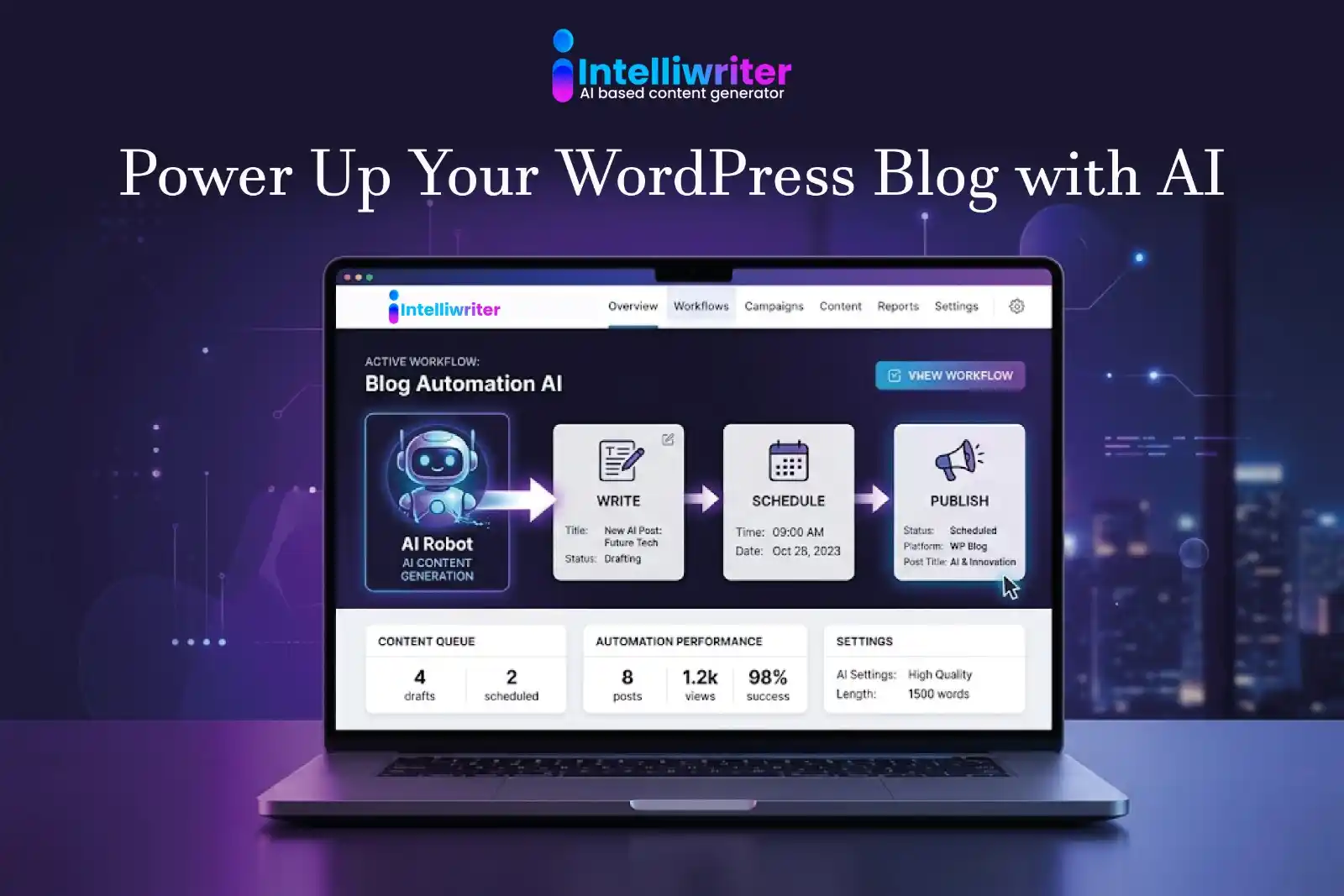
Complete Automation Workflow (Visual Breakdown)
Here is how a single keyword input becomes a fully published, optimised blog post inside IntelliWriter:
- Input: One seed keyword or topic
- Research: AI identifies primary keywords, intent, and competitor gaps
- Outline: Structured H1–H4 framework generated automatically
- Draft: Full-length article written and humanised
- Optimise: NLP terms, meta tags, internal links, and SEO score applied
- Publish: Article pushed directly to WordPress, Wix, or Shopify
💡 The entire pipeline runs from a single input. No switching tools. No manual handoffs. IntelliWriter handles every stage inside one platform.
How Much Time Can You Actually Save?
A realistic breakdown of manual vs automated blog production:
- Manual: Keyword research — 45–60 min per article
- Manual: Writing a full draft — 2–4 hours per article
- Manual: SEO optimisation — 30–60 min per article
- Manual: Formatting and publishing — 30–45 min per article
- Manual total: 3–6 hours per article
With IntelliWriter:
- Keyword research: under 2 minutes
- Full draft generation: 3–5 minutes
- SEO optimisation: automated
- Publishing: one click
- Total: under 10 minutes per article
For a team publishing 3–5 articles per week, IntelliWriter delivers a saving of 10–25 hours weekly — time that can be redirected to strategy, distribution, and growth.
Benefits of Automating Blog Content with IntelliWriter
- Consistent publishing schedule — no more content droughts caused by time constraints
- Improved SEO rankings — every article is structured and optimised from the start
- Scalable content production — go from 4 articles a month to 40 without adding headcount
- Reduced dependency on freelance writers — lower cost per article, faster turnaround
- Higher ROI on content marketing — more content, more rankings, more traffic
Common Mistakes to Avoid in Blog Automation
- Publishing without any human review — always do a quick quality pass before going live
- Ignoring search intent — automation is only as good as the keyword strategy behind it
- Skipping humanisation — raw AI drafts can sound mechanical; use IntelliWriter’s Humanizer
- Not building topical authority — isolated articles rank less effectively than content clusters
💡 IntelliWriter handles the heavy lifting, but a brief human review before publishing ensures every post reflects your brand voice and meets your quality bar.
Best Practices for High-Quality Automated Content
- Always review before publishing — a 5-minute review catches anything that needs a human touch
- Add unique insights — proprietary data, case studies, or expert opinion elevate automated drafts
- Use internal linking strategically — IntelliWriter suggests links; choose the ones that add value
- Maintain brand voice consistency — configure IntelliWriter’s tone settings to match your style
Who Should Use IntelliWriter Blog Automation?
IntelliWriter is purpose-built for anyone who needs to publish quality content at scale:
- SEO agencies managing content for 10, 20, or 100+ clients
- Bloggers and niche site owners building affiliate or ad-revenue sites
- SaaS companies running inbound content marketing programmes
- Affiliate marketers who need high volumes of review and comparison content
- Local businesses wanting to compete for regional search traffic
IntelliWriter vs Traditional Content Creation
| Criteria | Manual Process | IntelliWriter Automation |
| Time per article | 3–6 hours | Under 10 minutes |
| Cost per article | High (writer fees) | Fraction of the cost |
| SEO optimisation | Manual — error-prone | Automated and consistent |
| Publishing | Manual CMS upload | One-click auto-publish |
| Monthly output | 4–8 articles (small team) | 40–100+ articles |
Final Thoughts: Is Blog Automation Worth It?
For any business or creator serious about organic growth, the answer is yes — with one important caveat: automation is a force multiplier, not a replacement for strategy.
IntelliWriter handles everything that can be systematised: research, drafting, optimisation, and publishing. What it amplifies is your strategic direction — your choice of niche, your brand voice, your unique expertise. Feed it a solid content strategy, and it returns a content engine that runs at a scale no manual process can match.
AI-powered blogging isn’t the future — it’s the present. The businesses investing in automation now are building content moats that will be nearly impossible to close for competitors still writing articles one by one.
FAQs About Blog Automation with IntelliWriter
Is AI-generated content safe for SEO?
Yes — when it’s properly optimised and humanised. IntelliWriter produces structured, NLP-enriched content and runs it through a Content Humanizer to ensure it meets Google’s quality standards.
Can Google detect AI content?
Google evaluates content on quality, relevance, and user experience — not on whether it was AI-assisted. IntelliWriter’s humanisation step ensures content reads naturally and delivers genuine value, which is what Google rewards.
Do I still need human editing?
A brief review before publishing is recommended to add brand-specific insights and ensure tone consistency. IntelliWriter handles the heavy lifting; you provide the final quality check.
How many blogs can I automate per week?
As many as your content strategy calls for. IntelliWriter supports bulk generation, so teams can go from a handful of articles per month to dozens per week.
Is IntelliWriter beginner-friendly?
Yes. The platform is designed for marketers and business owners — not technical users. The workflow is intuitive: enter a keyword, follow the pipeline, publish.
Start Automating Your Blog with IntelliWriter Today
Stop trading hours for blog posts. IntelliWriter’s AI Blog Automation platform handles keyword research, content creation, SEO optimisation, and WordPress publishing in a single, seamless workflow — so you can focus on growing your business, not feeding a content calendar.
Whether you’re an agency scaling client content, a blogger building organic traffic, or a business competing for search rankings — IntelliWriter gives you the speed, quality, and consistency to win.
👉 Try IntelliWriter AI Blog Automation → intelliwriter.io/ai-blog-automation
Leave a Reply